Ollie AI, and where Fridgeworthy is different
Most pages on this site are about an app your school picked for you. This one is different. Ollie does the same core job Fridgeworthy does: you send it a photo of a school flyer and it turns the dates into calendar events. Their own site shows exactly that, captioned “Parent cleaning out backpack”.
So this is a comparison written by the people who make Fridgeworthy. Read it that way. The useful thing we can do is be accurate about what Ollie is, what it charges, and what it asks for, because those three answers decide it for most households.
What is Ollie AI?
Ollie is a text-message assistant, not an app. You text a phone number, or add it to a group thread with your partner and the sitter, and talk to it in plain language. Ollie says it “lives in your texts on both iOS and Android, so no app is needed”. It handles calendars, email triage, reminders, meal planning, grocery lists and morning briefings in that one thread.
That breadth is the point of it, and it is real. Ollie will summarize your inbox, draft replies, spot a conflict between two kids’ Saturdays, and text you when the health office emails. Fridgeworthy does none of that. If what you want is one assistant for the whole household, Ollie is aimed squarely at you and this page is not going to pretend otherwise.
What does Ollie cost?
Ollie’s pricing page lists three tiers: free, $25 a month, and $100 a month. The unusual part is the meter. You are billed by Ollie’s replies, not your messages: “A message is one reply from Ollie.” Free is 50 replies a month, $25 is 150, $100 is 1,000, each with a small daily top-up allowance that does not roll over.
Worth thinking through before you pick a tier, because the features that make Ollie appealing are the chatty ones. A morning briefing, a proactive alert and a back-and-forth about Thursday all spend from the same allowance, so the busiest weeks are the ones that run it down.
What does Ollie need access to?
An inbox and a calendar, by sign-in. Ollie’s own FAQ says you grant read and write access to your calendar so it can create events and find free slots, and that email access “allows Ollie to read, search, label, and draft emails on your behalf”. That is what makes the proactive alerts possible. It is the deal.
Fridgeworthy asks for neither. There is no inbox connection and no calendar sign-in. It reads the photo you hand it, and calendar sync is one way, out of Fridgeworthy into one calendar you choose, so nothing already on your calendar gets read, changed or deleted. Whether that is an advantage depends entirely on what you wanted. Less access means less help.
One thing to be straight about: neither product signs into ClassDojo, ParentSquare or a district portal. That is not a difference between us.
Which one fits your household?
Ollie, if you want one assistant for everything and you are comfortable connecting your mail. Meals, lists, inbox triage and school dates in a single thread is a genuinely different product, and no amount of scanning gets you there.
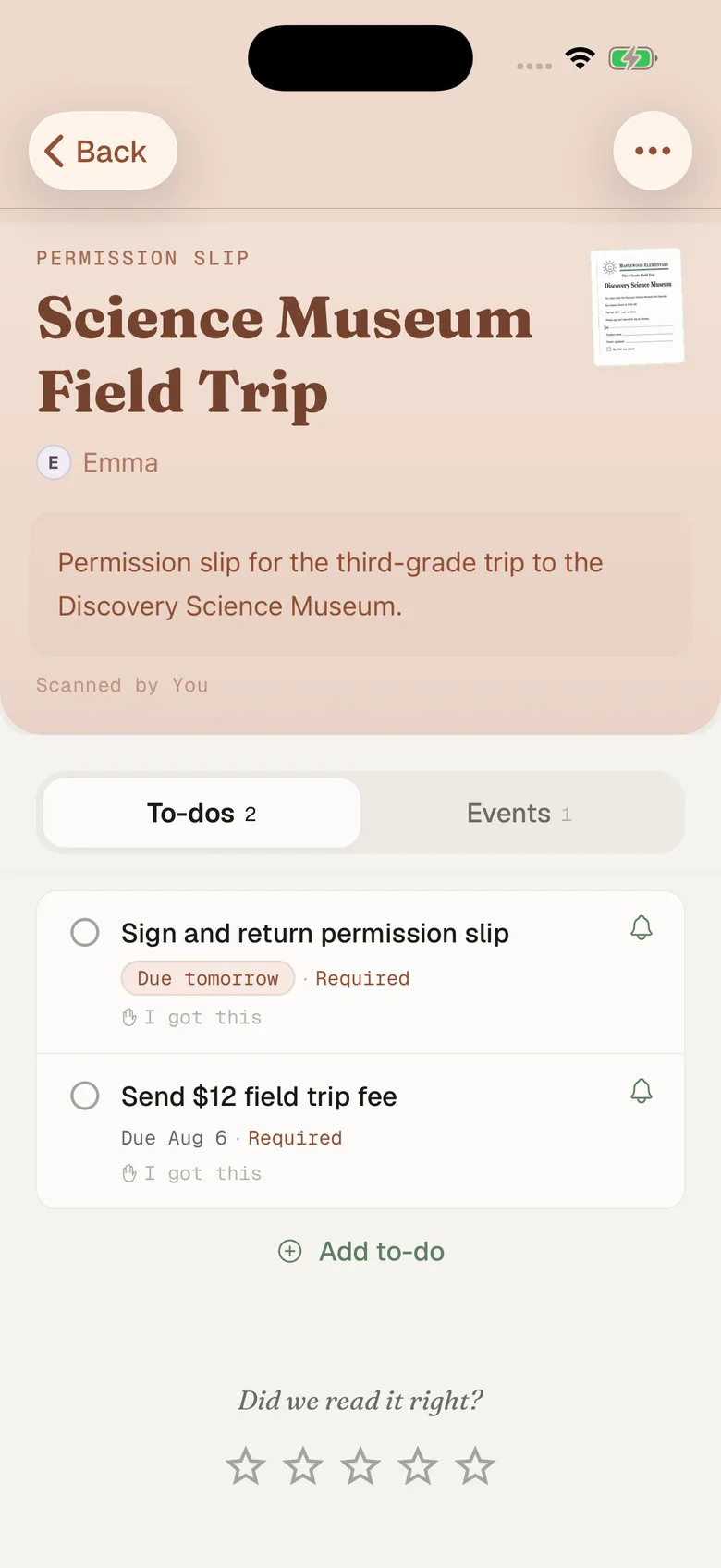
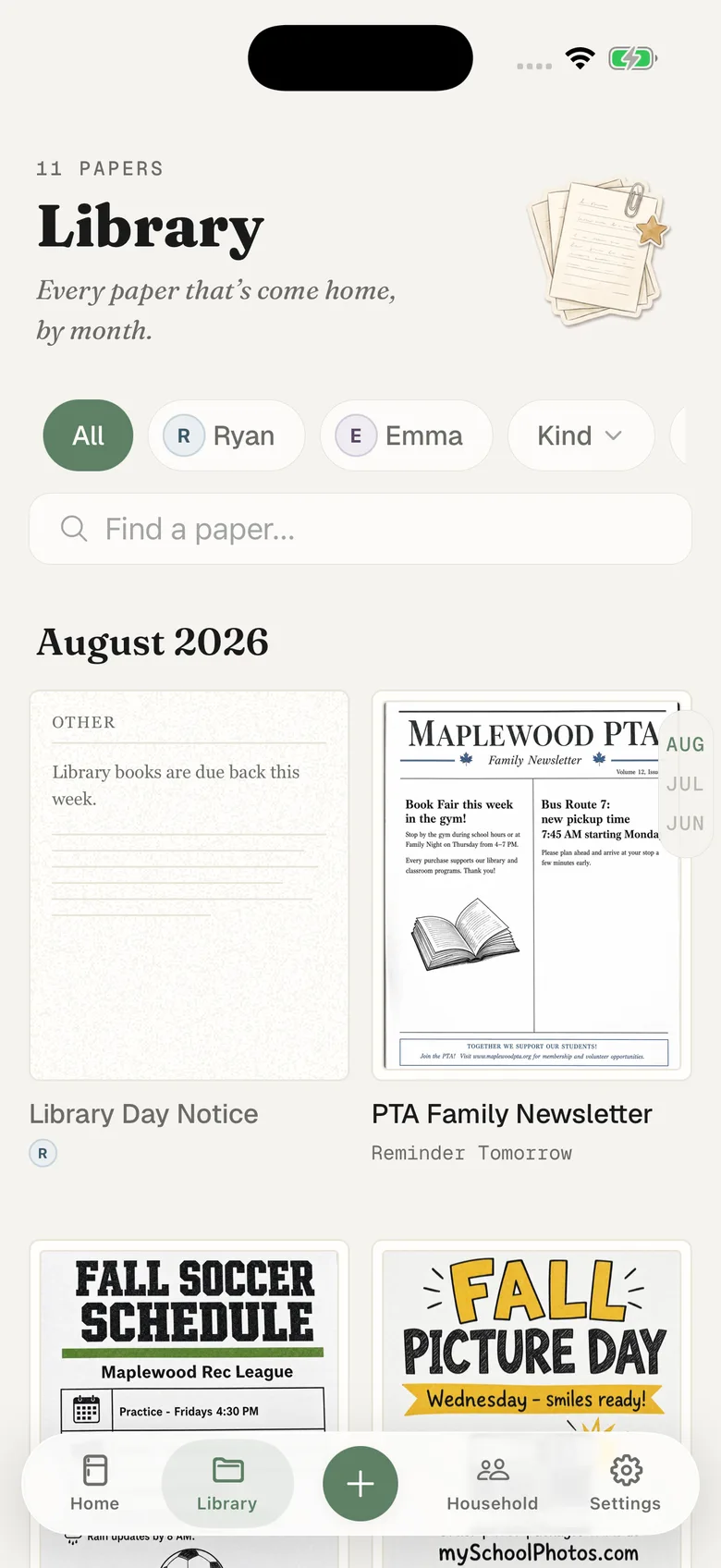
Fridgeworthy, if the problem is specifically the paper. It is built around the pile: the permission slip, the lunch menu, the picture day flyer, the spirit week schedule. Every scan stays in a library with the original image, so in March you can still find what the October form actually said. The week reads per child, so Emma’s Thursday and Ryan’s Thursday are separable at a glance. Ollie answers in the thread instead, which plenty of households prefer.
Trying Fridgeworthy alongside it
Nothing stops you running both, and if you are mid-comparison that is the honest way to decide:
- Empty the backpack onto the counter and point the camera at the stack. Many pages in one pass, six to a batch.
- If the notice arrived on your phone instead of on paper, take a screenshot, hit share and pick Fridgeworthy, or import from Photos later.
- Look at the week a day later. Tuesday’s slip deadline, Thursday’s trip: the comparison is whether the dates you scanned landed where you would look for them.
If your school runs ClassDojo or ParentSquare, those guides cover the same route from inside those apps. And if the family calendar already lives on a Skylight in the kitchen, scanned dates reach it the same way anything else on your iPhone calendar does.
Facts here come from Ollie’s own pages and were accurate when this was written. Pricing and permissions on a young product move, so check their site before you decide anything on the strength of a competitor’s summary.