Getting ParentSquare updates onto the family calendar
If your school uses ParentSquare, it’s where everything arrives: the teacher’s Sunday post, the field trip announcement, the picture day reminder, the PTA newsletter with a fundraiser buried in paragraph three. The app does its job: the school said the thing, and you saw it.
The gap is what happens next. A post says the field trip is Thursday, the signed slip and $12 are due Tuesday, and Emma should wear the red class shirt. None of that is on your calendar yet. It’s in a feed, and feeds scroll.
Does ParentSquare sync to your calendar?
Yes, for the events the school files as events. ParentSquare keeps a calendar of school events you can subscribe to. On the web, open Calendar and click Subscribe. In the app, tap the menu at the top left, then Account, then Preferences, and switch on the option to add events to your calendar. Do that once and school-wide dates flow to your phone.
What lands there is the event, not the parts you act on. “Return the slip by Tuesday” and “send $12 in an envelope” live in the post text or an attached flyer, and those are the pieces that get lost. Same for anything the school never turned into a calendar entry: the reading log, the classroom wish list, the teacher’s note about the red shirt on Thursday.
The screenshot route
Fridgeworthy reads screenshots the same way it reads the paper that comes home in the backpack. That makes the workflow short:
- In ParentSquare, screenshot the post, and the attached flyer if there is one. A long post can be two screenshots; overlap is fine.
- Tap the screenshot preview, hit share , and pick Fridgeworthy. It goes straight into a scan. Or open Fridgeworthy later and import from Photos ; you can select several screenshots at once (a batch holds six pages).
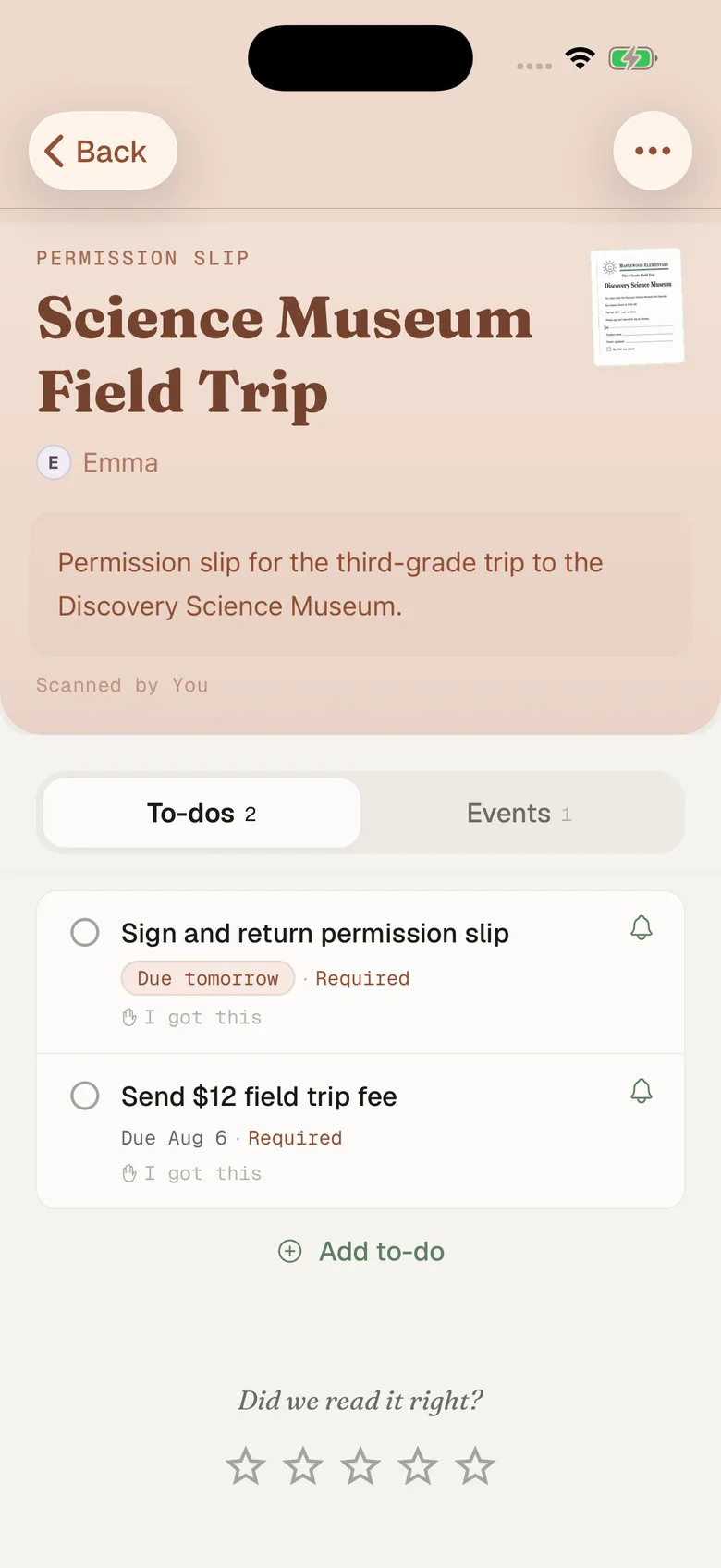
- Fridgeworthy pulls out the dates, deadlines, and to-dos, sorts them by child, and keeps the screenshot attached so the original wording is one tap away.
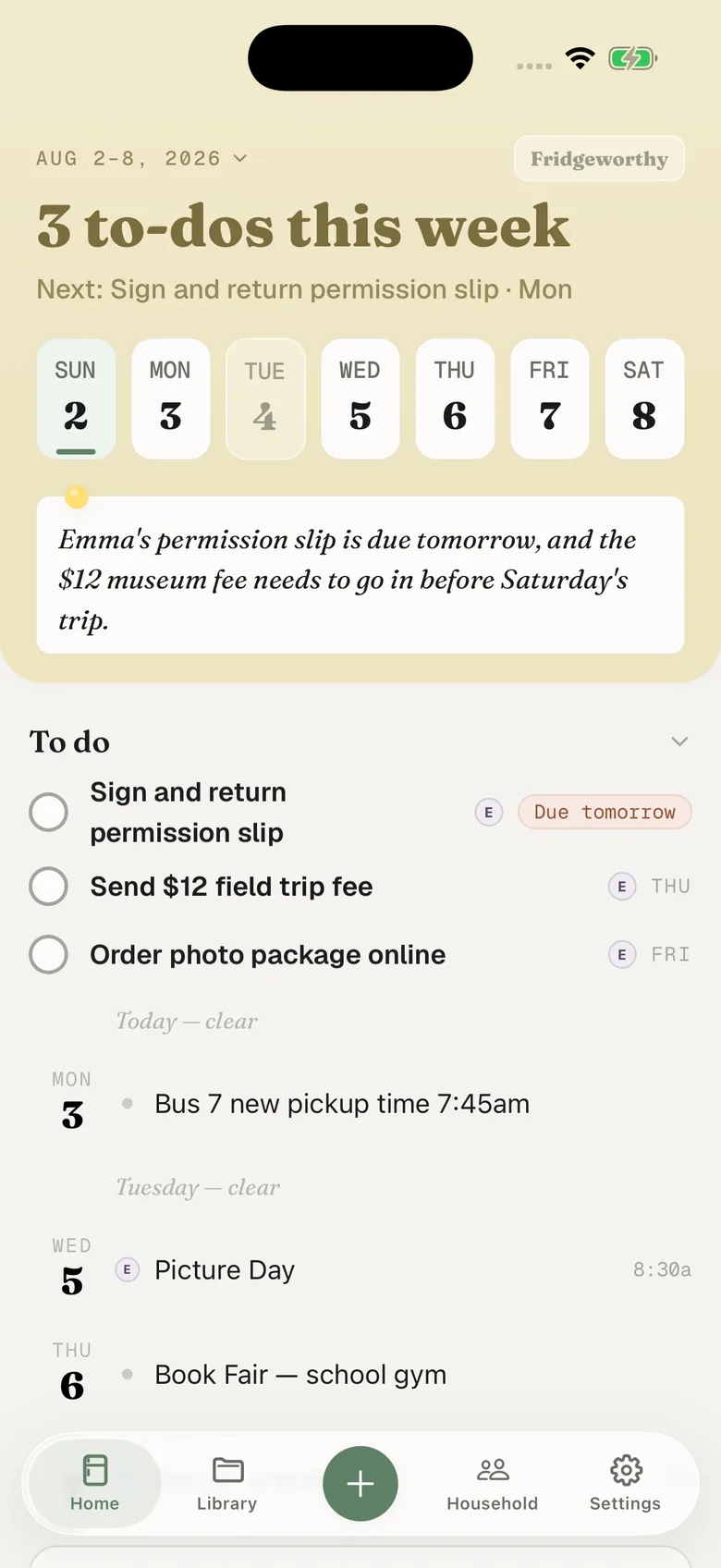
From there it’s the same as any scanned paper: the field trip shows up on Thursday, the slip-and-money deadline on Tuesday, both under Emma’s name. If you’ve turned on calendar sync in Fridgeworthy’s Settings, they also land on your iPhone calendar, one way, so nothing you already have gets touched.
That is separate from the ParentSquare subscription above. One brings the school’s own events, the other brings the dates pulled out of a post, and neither knows about the other. If you run both, a field trip the school filed as an event can land on your calendar twice, once from each.
The faster route: forward the email
ParentSquare sends its posts as email too, and forwarding one is fewer taps than screenshotting it. Your household has its own Fridgeworthy address: find it in Settings under Email to Fridgeworthy , then forward the digest there. The first email from a new sender waits for a one-tap approval in the app. After that, forwards from that sender are read automatically.
Forwarding is also the door for PDFs. A screenshot of a newsletter works, but if the newsletter is a PDF attached to the email, forward the whole email and the attachment gets read directly. Each document a forward creates uses a scan, same as pointing the camera at a page.
Whether email arrives at all is a setting on ParentSquare’s side, and it is worth checking before you rely on this. Notifications are set per school and per type: Instant sends each post as it happens, Digest gathers the day’s posts into one email at the end of the day, and you can turn them off altogether, though alerts and time-sensitive posts still come through. On the web it is your name, then My Account, then Notification Settings. In the app it is the menu at the top left, then Account, then Notifications. If delivery is set to app notifications only, nothing reaches Mail, and the screenshot route above is the one that works.
Two kids, two schools, one account
ParentSquare puts every student you are connected to in the same account, which is the right design and also the thing most likely to look broken. If a child or a school is missing, it is usually because your contact details differ between the two schools’ records, or because you ended up with two ParentSquare accounts. Both fixes live on the Account page: confirm your contact information first, then Combine with another account, and both kids show up in one place.
The notification settings do not merge along with the accounts. They stay per school, so choosing Digest for Emma’s elementary does nothing for Ryan’s middle school; you set it twice. Fridgeworthy doesn’t care which school a post came from: the child stays attached to every date and to-do, so the week reads by kid, and the other adult in your household sees the same week.
And the backpack still exists
The irony of school apps is that the paper never stopped. Permission slips still ride home folded into quarters. For those, point the camera at the stack, up to six pages in one pass, and the pile and the posts end up in the same place: one week, sorted by child, shared with the other parent in your household.
ParentSquare is also rarely the only account. The grades live in the district portal, usually PowerSchool or Schoology; the $12 gets paid through MySchoolBucks; practice is announced in TeamSnap or Spond; and if your district switched over from Remind, some teachers are still texting there. Each of those has its own guide, and each ends in the same week.
What this doesn’t do
There’s no account to link and no integration to switch on. Fridgeworthy never signs into ParentSquare and never sees your posts: it reads the screenshot or the forwarded email you hand it, and nothing else. The ParentSquare calendar subscription above is between ParentSquare and your phone, and it keeps working whether or not you ever open Fridgeworthy.
The goal isn’t to replace ParentSquare; the school should keep posting there. The goal is to give the dates a place to land, so the Sunday post and the crumpled flyer both turn into a Tuesday reminder you didn’t have to carry in your head.