The daycare dates KT Connect leaves loose
The app your center put on your phone probably isn’t called Kangarootime. Kangarootime is what the center runs; the parent side is a separate app, KT Connect, purple kangaroo icon. It does a short list of things well: photos from the classroom, the attendance list where you mark Emma out next Tuesday, an extra day booked for the week you’re off, the balance, the door PIN.
Dates are where it thins out. The center marks a closure in its own system, with a real date on it, and what reaches you is a message in a feed: “closed Friday for staff training.” The feed sorts by when someone typed it, not by when the thing happens. Two days of classroom photos and it’s off the screen.
Does KT Connect have a calendar?
No. There is no calendar anywhere in KT Connect, and Kangarootime doesn’t claim one: no calendar article in Parent Resources, nothing in the App Store listing, nothing on their parent communication page. What is dated is real, though. Attendance lists your child’s scheduled days, you mark a future absence by tapping the calendar icon beside the date, and you can book a drop-in day as far as 180 days out.
That’s real scheduling, and it answers “is Emma in care Tuesday.” It doesn’t answer “when is picture day,” and there’s no export or subscribe link: the days live in the app, as does the bill with its due date. Everything else arrives as sentences, or on paper the app never sees: the immunization form the center wants back by a date it picked, the holiday party sign-up, “bring a change of clothes and a labeled water bottle.” Kangarootime says announcements carry “closure reminders, deadlines, and other important notices”: things that should have been dates.
Kangarootime, KT Connect, K2: which one is yours?
Kangarootime ships several apps, one per audience, and KT Connect is the parent one. It replaced an older app that really was named Kangarootime, which is why parents at pickup call it by two names, and the help center adds a third. K2 is the current platform, stamped on every help article. It is not a second app to go looking for: it is the version of the software your center runs behind KT Connect. The help center covers both sides of the product, so an article describing a screen you do not have is likely one written for center staff.
There is a KT Connect website too, but it isn’t a parent portal in the school sense. It does billing and nothing else: payments, bills, statements, payment history, payment methods, and autopay. Kangarootime says the rest is app only.
The screenshot route
Fridgeworthy reads a screenshot the same way it reads the paper that comes home in the tote bag, so the workflow is short:
- Screenshot the announcement, the daily note, or the bill screen. A long one can be two screenshots; overlap is fine.
- Tap the screenshot preview, hit share , and pick Fridgeworthy. It goes straight into a scan. Or import from Photos later; a batch holds six pages, which covers a week of feed you never got around to reading.
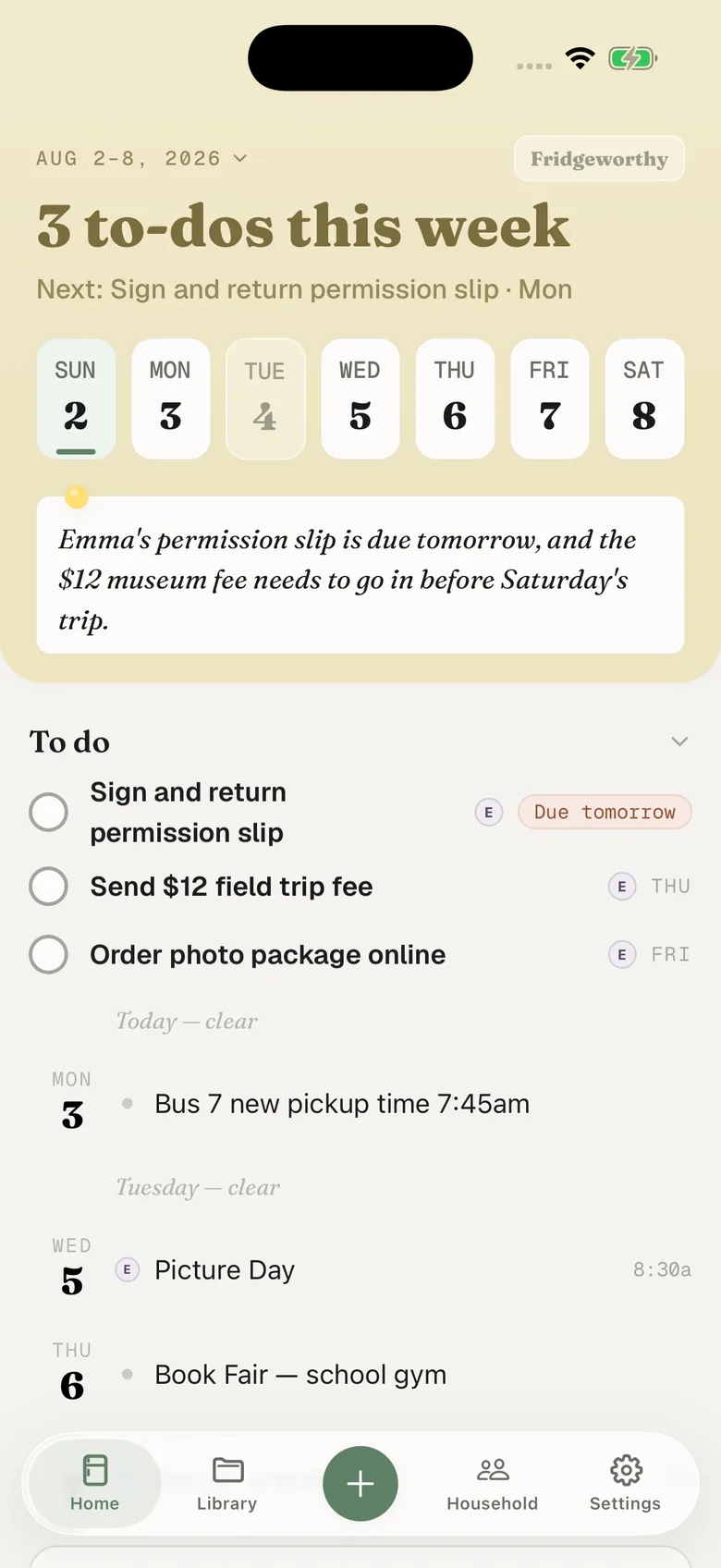
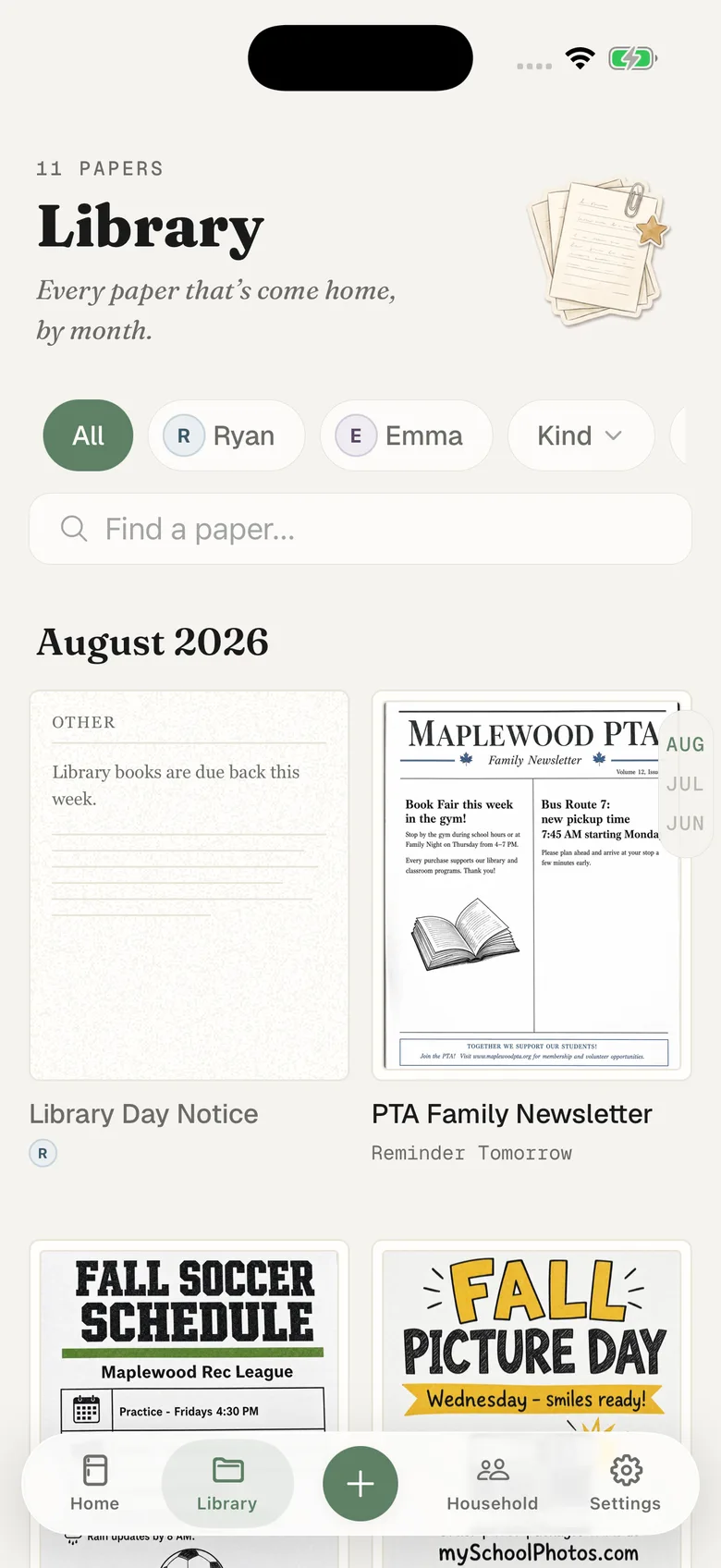
- Fridgeworthy pulls out the dates, deadlines and to-dos, files them under the right kid, and keeps the image attached so the center’s exact wording stays one tap away.
Friday’s closure lands on Friday, while there’s still time to find childcare. The change of clothes becomes a to-do under Emma’s name. With calendar sync on in Settings, the dates also reach your iPhone calendar, one way, each event titled with the child’s name in front.
Where the tuition bill actually arrives
Billing is the one thing that leaves the app. Kangarootime documents that the bill arrives by email from a no-reply address, plus a second email confirming payment. That mail reaches whoever the center marked as a primary contact, and anyone it gave billing permission to. Which of those you are is the center’s setting, not yours, so the quickest check is your inbox. Installing the app doesn’t stop those emails.
So the bill is the one item you can forward instead of screenshotting. Your household has its own address in Settings under Email to Fridgeworthy . Whatever the mail carries gets read: if the bill is attached as a PDF, the PDF becomes the document; if it’s written into the body, the body does. The first message from a new sender waits for a one-tap approval, and each document a forward creates uses a scan.
Announcements are the opposite case. Kangarootime documents no email and no SMS for messages: families receive them in the app. Nothing lands in your inbox, so the closure day stays a screenshot job.
And one deadline nothing shows you: autopay has to be authorized before the bill generates, not before it’s due, and only your center knows when that is. Set it up the month before you need it, not the week the payment is due. Worth knowing first: once you authorize it, only the center can turn it off again.
A toddler at the center, a second grader at school
Their week runs on four separate systems. The center posts in KT Connect. The second grade teacher posts on ClassDojo, the district sends through ParentSquare, a coach texts through Remind. None of them knows the others exist, so the collision shows up in your kitchen: the center is closed Friday and the school is not.
Fridgeworthy keeps the child attached to every date, so the week reads by kid instead of by app, and the other adult in your household sees the same week. That matters more here than anywhere: Kangarootime sends announcements only to active accounts and contacts with messaging permission, and only center staff can change that list, so the second parent can be quietly off it. Put the week on the Skylight in the kitchen and everyone reads it regardless.
What this doesn’t do
There’s nothing to connect. Fridgeworthy never signs into KT Connect, never sees your feed, never touches your balance. Kangarootime publishes no way for another app to read a parent’s account. The one data export it documents is something a center sets up for its own records, into the center’s own storage.
The share sheet takes images only, so a PDF inside another app is a screenshot job: open it, screenshot the dated page. The year-end tax statement is the one you’ll hit most. If it reached you by email, forward that instead and the PDF gets read directly.
Keep KT Connect. It’s where the photos are, where you mark Tuesday’s absence, where the bill gets paid. This gives the sentences somewhere to land: one week, sorted by child, with the center’s Friday closure next to the picture day flyer that came home in a backpack.