Turning Remind texts into a week you can see
Remind does one thing and does it plainly: the teacher types once, and it reaches you as a text message. No group chat, no phone numbers traded, nothing to install.
That plainness is also why the dates in it evaporate. A Remind text carries the class name plus about 140 characters, so a whole week gets compressed into a line: field trip Thursday, $12 and the signed slip by Tuesday, wear the red class shirt. It arrives in a thread from a number you don’t recognize, because Remind assigns a different number to every teacher. Two kids and four teachers is four threads.
Ten days later you’re thumbing back through those threads trying to work out which Tuesday. Search finds words, not dates, and a text thread has no week view.
The screenshot route
Fridgeworthy reads a screenshot the same way it reads the paper that comes home in the backpack. So a Remind text never needs retyping, only capturing:
- Screenshot the message. Same move whether you read Remind in Messages, in the Remind app, or in your email.
- Tap the screenshot preview, hit share , and pick Fridgeworthy. Or open Fridgeworthy later and import from Photos ; you can select several at once, and a batch holds six pages.
- Out come the dates, deadlines, and to-dos, sorted by child, with the screenshot kept so the teacher’s exact words stay one tap away.
Attachments take a couple of extra taps. Remind doesn’t put the file in the text; when a teacher attaches the field trip flyer, what arrives is a link to the full message. Open the link, screenshot the flyer, and send it the same way.
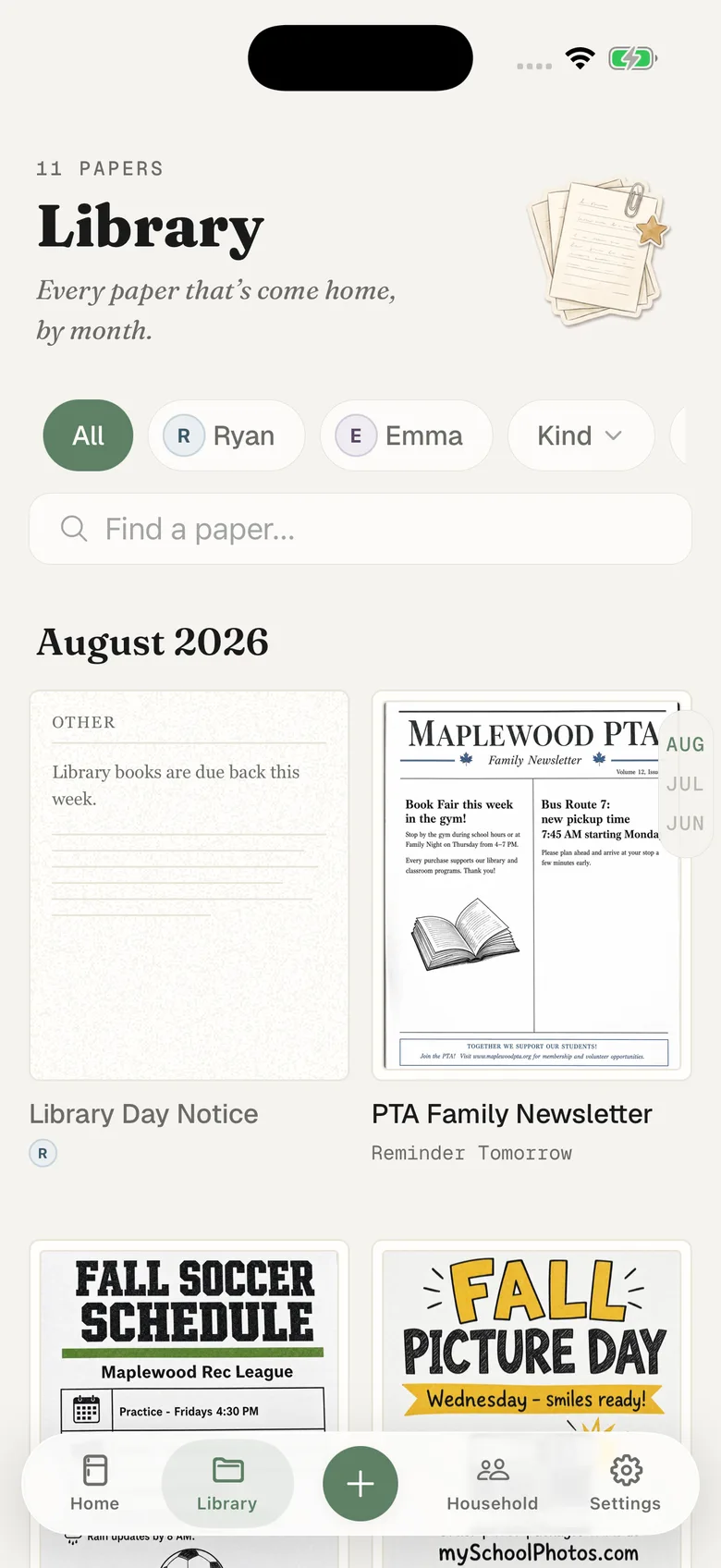
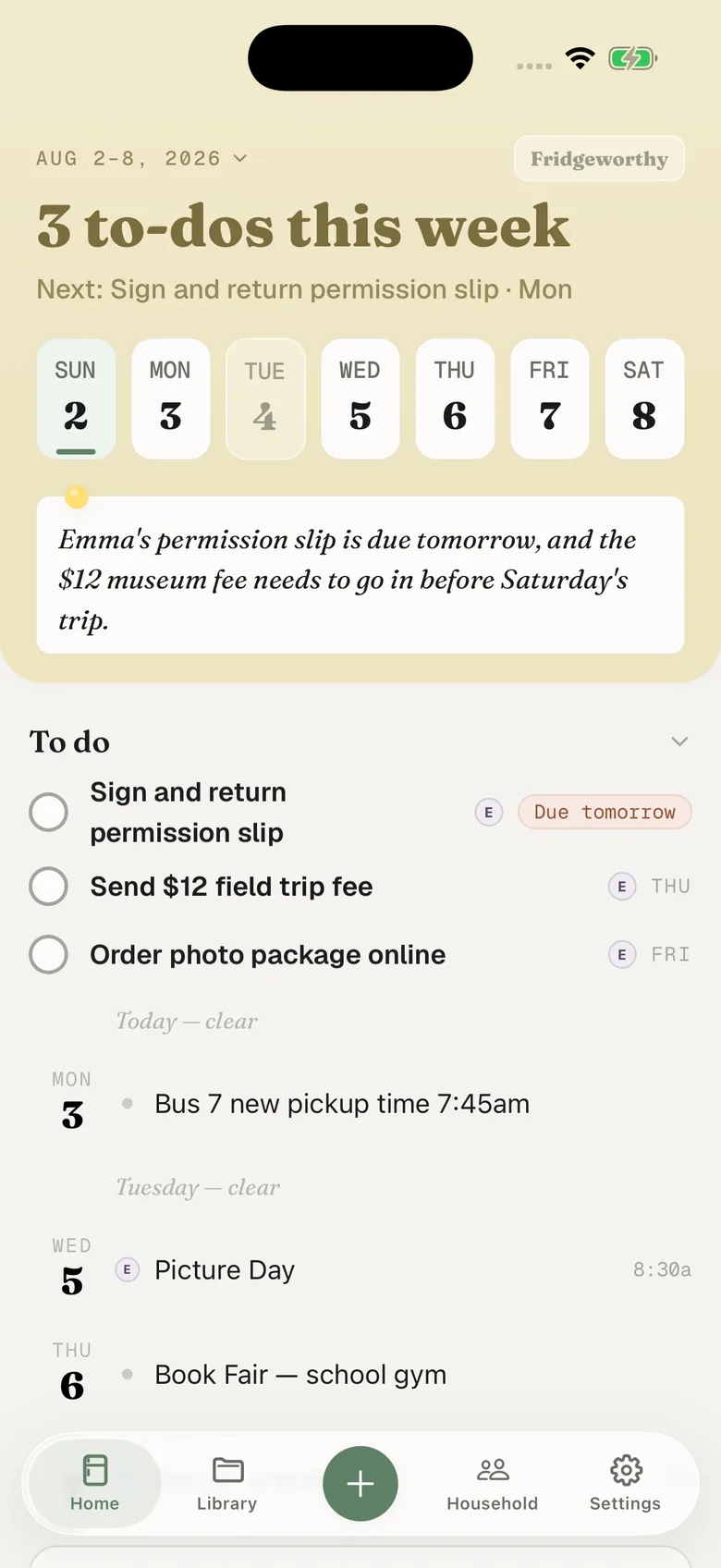
If calendar sync is on in Settings, those events also copy to your iPhone calendar, one way, each one titled with the child’s name in front. Nothing already on your calendar gets touched.
If Remind reaches you by email
Remind delivers to whichever contact methods your account has: a phone number, an email address, the app. Installing the app turns the text and email copies off so the same message doesn’t reach you three times.
If email is still one of your methods, forwarding is the shorter road. Your household has its own Fridgeworthy address, in Settings under Email to Fridgeworthy . Forward the message there and it gets read like any other page, including a PDF attached to it. The first forward from an email address you haven’t used before waits for a one-tap approval in the app, and each document a forward creates uses a scan, same as pointing the camera at a page.
Is Remind going away?
Not the part most teachers use. Remind is part of ParentSquare now, and schools on the paid Remind Hub are being moved across, but Remind Chat, the free two-way class messaging, is still free and still Remind.
So a school can go either way, and plenty of parents will run both. You can tell which side you are on without asking anyone: look at who the message says it came from, and whether the school has asked you to set up a ParentSquare login. If it is still Remind, nothing above changes for you. If you have been moved across, our ParentSquare guide covers that side, and the workflow is identical either way, because the message still ends up on your screen and a screenshot is a screenshot.
When the messages come from four different apps
One teacher runs ClassDojo, the school posts to ParentSquare, and the coach texts from TeamSnap, Spond or the BAND app. Each one has its own thread and its own notification you half read at a stoplight, and none of them know the others exist. Those guides walk the same route from inside each app, and it ends in the same place: one shelf, filed by child rather than by whoever sent it.
What this doesn’t do
There’s no account to link and no integration to switch on. Fridgeworthy doesn’t sign into Remind and can’t see your threads; it reads the screenshot or the forwarded email you hand it, and nothing else. That’s a real limit. It also means the only messages it ever sees are the ones you chose to send.
Keep using Remind. A text from the teacher is a good way to hear things, and it reaches you whether or not your phone is the newest one. This is about the part after you read it: Tuesday’s deadline sitting on Tuesday, under the right kid’s name, where the other parent can see it too.