Catching the due date before the late fee hits
MySchoolBucks sits between you and almost every dollar the school asks for, and it is good at that job: $20 onto Emma’s lunch account from the pickup line, Ryan’s $45 band fee paid at ten at night, one card on file for meals, athletic events, field trips, fundraisers, spirit wear, parking passes and the PTO. Search the App Store for it and what comes back is called MSB Parent, USA, published by Global Payments. That is the right app: Heartland Payment Systems, a Global Payments company, runs the service.
Money is where it is strong. Dates are where it thins out. An invoice carries a real due date, and if your district attached a late fee, that fee applies a set number of days later on its own. The permission slip in Ryan’s backpack that says pay by Friday is not in MySchoolBucks at all until the district turns it into an invoice, and by then Friday may already have passed.
Does MySchoolBucks track fee due dates?
MySchoolBucks stores them, it just never puts them anywhere that reminds you. Heartland documents that an invoice carries a due date, an optional late fee set to a number of days after it, and a payment plan that turns one fee into a run of installments, thirteen weekly Fridays in their own example. There is no calendar and no export.
Heartland calls the product a secure payment processor, not a bank, and a payment processor has no reason to own your week. Invoices do show up in the app, on the student card. Two other dates are worth knowing about. A district can set an end date, after which an invoice can no longer be paid online at all. And if your school uses Meal Orders, that is a separate site at mealorders.com that you sign into with MySchoolBucks: you tap a day on a grid to place an order, and your district sets the cutoff.
Why didn’t you get a reminder about the fee?
Because that one was probably not yours to switch on. MySchoolBucks email splits in two, and the half with the deadlines in it belongs to the district.
What you control lives in your own account. Low balance alerts are per student at a dollar amount you choose. Sign in on the website, click your name, choose My Students, then Edit beside the child. Heartland caps the run at three emails per student, so the alert goes quiet while the balance stays low. Payment receipts are the other opt-in, in account settings.
The half you cannot touch is the half about money already owed. Reminders for unpaid invoices are an administrator setting: the district decides whether they go out at all, how often, and the day they start and stop. Two districts, two identical unpaid fees, two completely different experiences.
New invoice mail has a rule under it too. The district picks who gets notified, and the default is Household Only, meaning only contacts who have already added that student to a MySchoolBucks account. A parent who never made one gets nothing. An invoice also carries a start date, the day it opens for payment, and nothing goes out before that, whatever the due date says.
What one of those emails actually says isn’t documented, so open the next one and see what your district puts in it.
The screenshot route
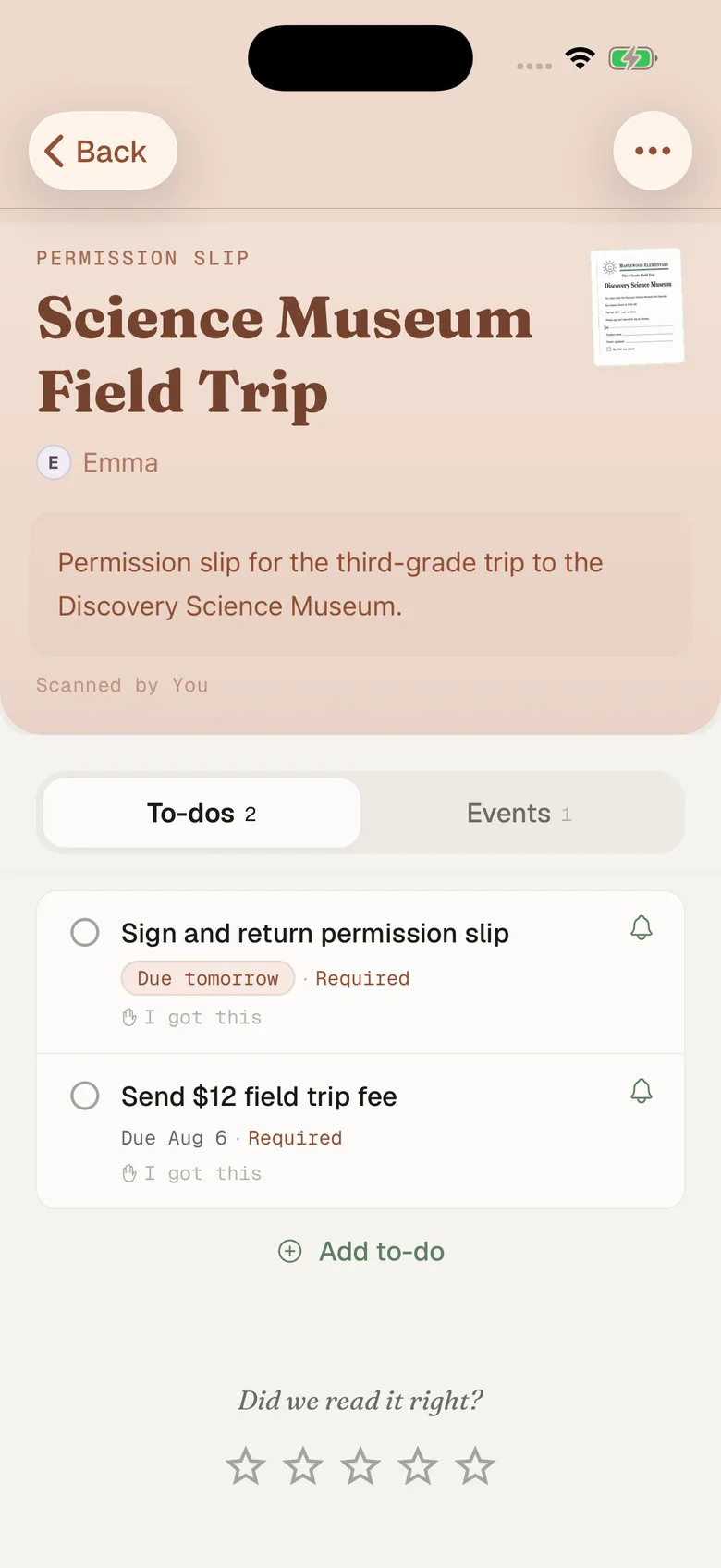
Fridgeworthy reads a screenshot the same way it reads the paper that comes home in the backpack, so the workflow is short:
- Screenshot the invoice: the fee, the amount, the due date. If there is a payment plan, screenshot the schedule too.
- Tap the screenshot preview, hit share , and pick Fridgeworthy. It goes straight into a scan. Or import from Photos later; a batch holds six pages, which covers a semester of fees in one pass.
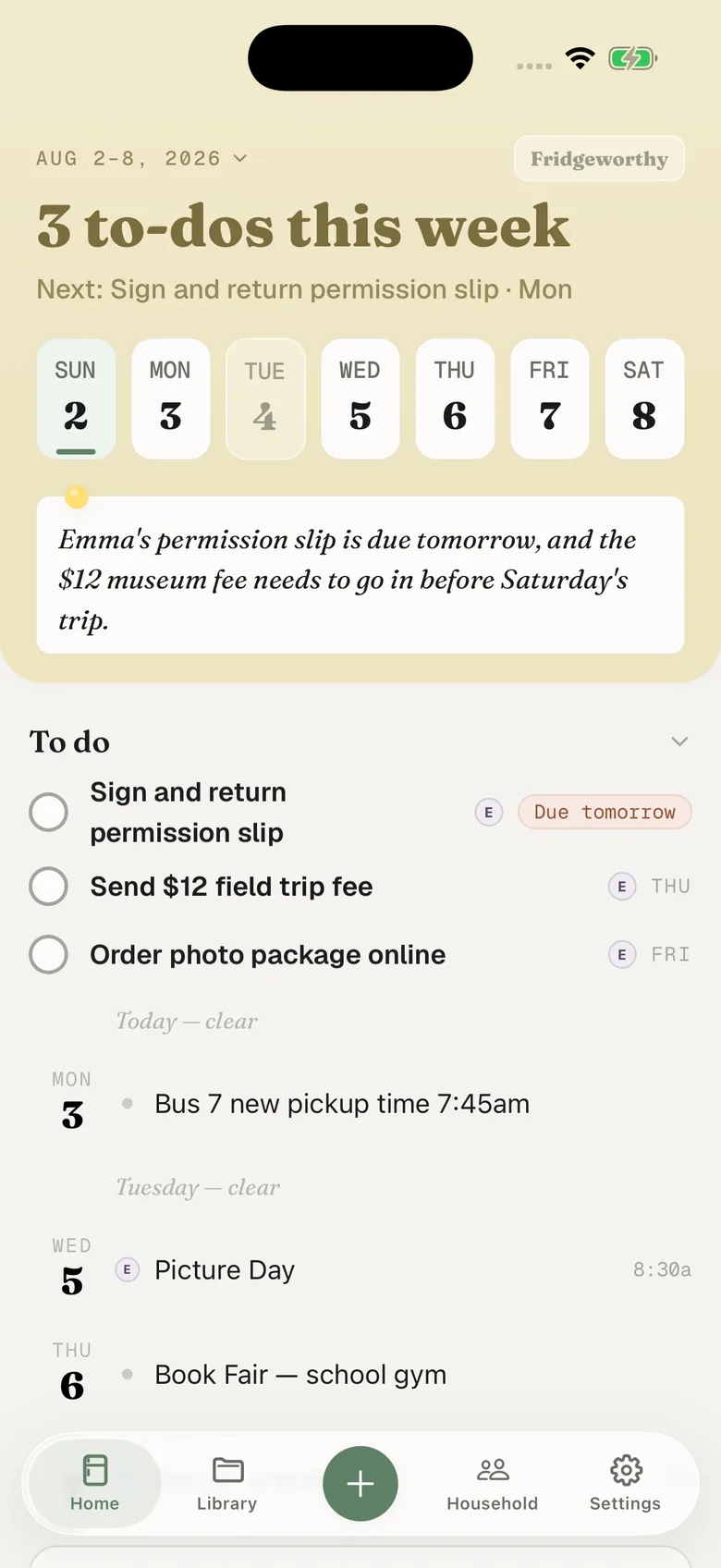
- Fridgeworthy pulls out the dates, deadlines and to-dos, files them under the right kid, and keeps the image attached so the exact amount stays one tap away.
The band fee lands on the day it is due, not the day the late fee applies. With calendar sync on in Settings, the dates also reach your iPhone calendar, one way, each event titled with the child’s name in front.
Forwarding the email instead
If an email does reach you, forward it and skip the screenshot. Your household has its own address in Settings under Email to Fridgeworthy . Whatever the message carries gets read: if something is attached as a PDF, the PDF becomes the document; if the fee is written into the body, the body does. The first message from a new sender waits for a one-tap approval, and each document a forward creates uses a scan.
The condition is the whole point. Forwarding works if your district has invoice mail switched on and your address is on the list. If either is not true, there is nothing to forward and the screenshot is the route.
Should you turn on AutoPay?
Probably, and four things about it are not obvious. It cannot be set up or changed in the app: Heartland says AutoPay settings cannot be accessed via the mobile app, so you sign in through a web browser. Enrolling does not start it: you make one payment yourself first, then the balance has to sit below your threshold for at least 24 hours before it fires. Payments can take up to 24 hours to post too, so paying the morning of the trip is closer than it looks.
AutoPay solves the lunch balance running out. It does nothing about the invoice with a due date on it, and there is no AutoPay for the slip in the backpack.
Does MySchoolBucks charge a fee?
MySchoolBucks can. Heartland says a Program Fee may be charged, and it is shown on screen before you finish paying. No amount is published centrally. A MySchoolBucks membership removes the per-transaction one.
One $12 field trip fee, four apps
The fee that lands in MySchoolBucks rarely starts there. Emma’s teacher mentions it in a ClassDojo post, the school announces it on ParentSquare, the invoice appears in MySchoolBucks, and the parent portal your district runs, PowerSchool or SchoolTool, is a fourth place to check. Fridgeworthy keeps the child attached to every date and to-do, so the week reads by kid instead of by app. The other adult in your household sees that same week, which matters more here than most: with Household Only as the default, they may not be on the invoice mail at all.
What this doesn’t do
Nothing gets linked up. Fridgeworthy never signs into MySchoolBucks, never sees your balance, and never moves money. It reads the invoice or the notice you hand it, and that is the whole arrangement. MySchoolBucks does publish integrations, but they are built for districts and software vendors, gated behind a developer ID and a certification process. None of it lets a parent read their own fees from outside.
Fridgeworthy also cannot recover what MySchoolBucks does not keep. Cafeteria purchase history runs three months and then stops. Payments made at the school office, in cash or by check, never appear there at all. And Heartland documents print buttons for parents, not downloads, so the screen in front of you is what you have.
Keep paying in MySchoolBucks. That is where the card is and where the district expects the money to land. This gives the dates attached to that money somewhere to sit: one week, sorted by child, with Ryan’s band fee due Friday next to the picture day flyer that came home in a backpack.