Grades in PowerSchool, the flyer still in the backpack
If your district runs PowerSchool, it is the official record: enrollment, attendance, grades as the teacher enters them, the class schedule, sometimes the lunch balance. When you want to know whether Ryan turned in the history assignment, that is where you look, and it answers.
What it does to a date is a different story. The portal knows Emma has chemistry at 9:40. It has nowhere to put the permission slip due Wednesday, the athletic physical due before tryouts, or the $12 the PTO wants by Friday. Those arrive by email, by robocall, or folded into quarters in a backpack.
Does PowerSchool own Schoology?
Yes, and that is the whole confusion. PowerSchool acquired Schoology; it did not become Schoology. Both still ship, under separate names, with separate apps and separate logins. PowerSchool is the student information system: enrollment, grades, attendance. Schoology is the learning management system: coursework and due dates. So if the app on your phone shows grades and attendance, that is PowerSchool; if it shows courses and assignments, that is Schoology. Your district may run one, or both, and having both is common.
The split decides where a date lives. Coursework has a home: an assignment posted in Schoology carries its due date, and Schoology has a real calendar with a documented subscribe link for an iPhone or Google Calendar. That side has its own guide, including where the feed fails. PowerSchool holds the record instead. Neither one holds the flyer.
Is there a PowerSchool app for parents?
Yes. PowerSchool Mobile is free and adds two things the web portal lacks: push notifications, and a calendar view of class assignments by week or month. It works only if your district runs PowerSchool itself, the grades and attendance system, rather than only Schoology. You create the parent account once, then add each child to it. Adding a second child at a second school is where parents get stuck: each child needs an access ID and password, and only that school can give them to you.
After that, no two districts look alike, by design: yours decides which pages exist. The Balances page appears only if your school turned it on, and it is a ledger: lunch balance, fee balance, line items, no due dates. The reminder that money is due arrives elsewhere, often MySchoolBucks or an email from the office.
Does the PowerSchool parent portal have a calendar?
No. There is no calendar in the parent portal at all. Not hidden, not behind a setting. The nearest thing is My Schedule, a timetable with nothing to export, plus the School Bulletin, read-only announcements. Picture day announced in a bulletin is text, not an event. A grades portal was never going to hold the field trip flyer.
PowerSchool does have a family portal with a real calendar and a real subscribe link, MyPowerHub. It is web only, the tiles depend on what your district bought, and most parents reading this do not have it.
The screenshot route
Fridgeworthy reads a screenshot the same way it reads the paper from the backpack, which suits this world: nearly everything worth capturing is already on your screen, a form in a browser tab, an email from the office.
- Screenshot whatever carries the date: the slip form, the fee notice, the assignment page. A long page can be two screenshots; overlap is fine.
- Tap the preview, hit share , pick Fridgeworthy, and it goes straight into a scan. Or import from Photos later; you can select several at once, and a batch holds six pages.
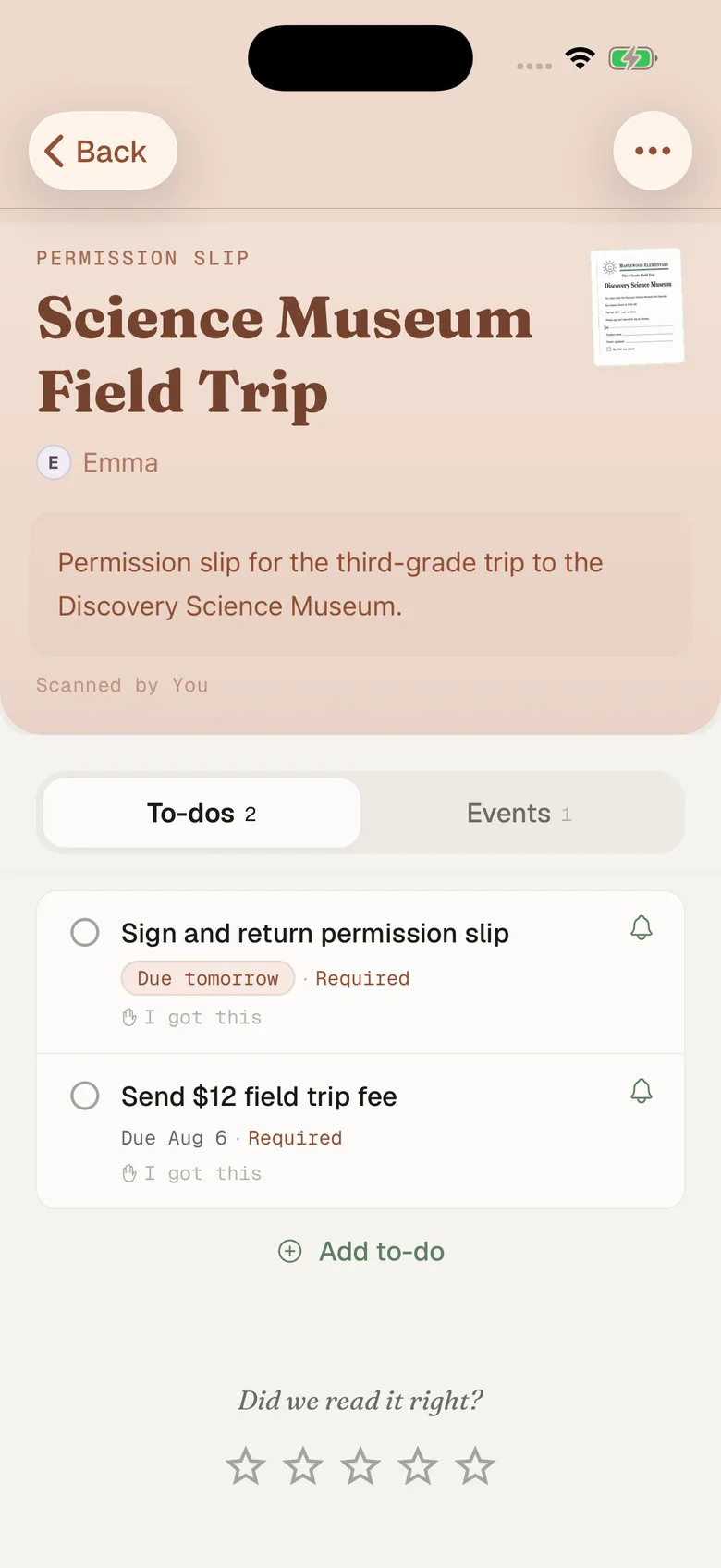
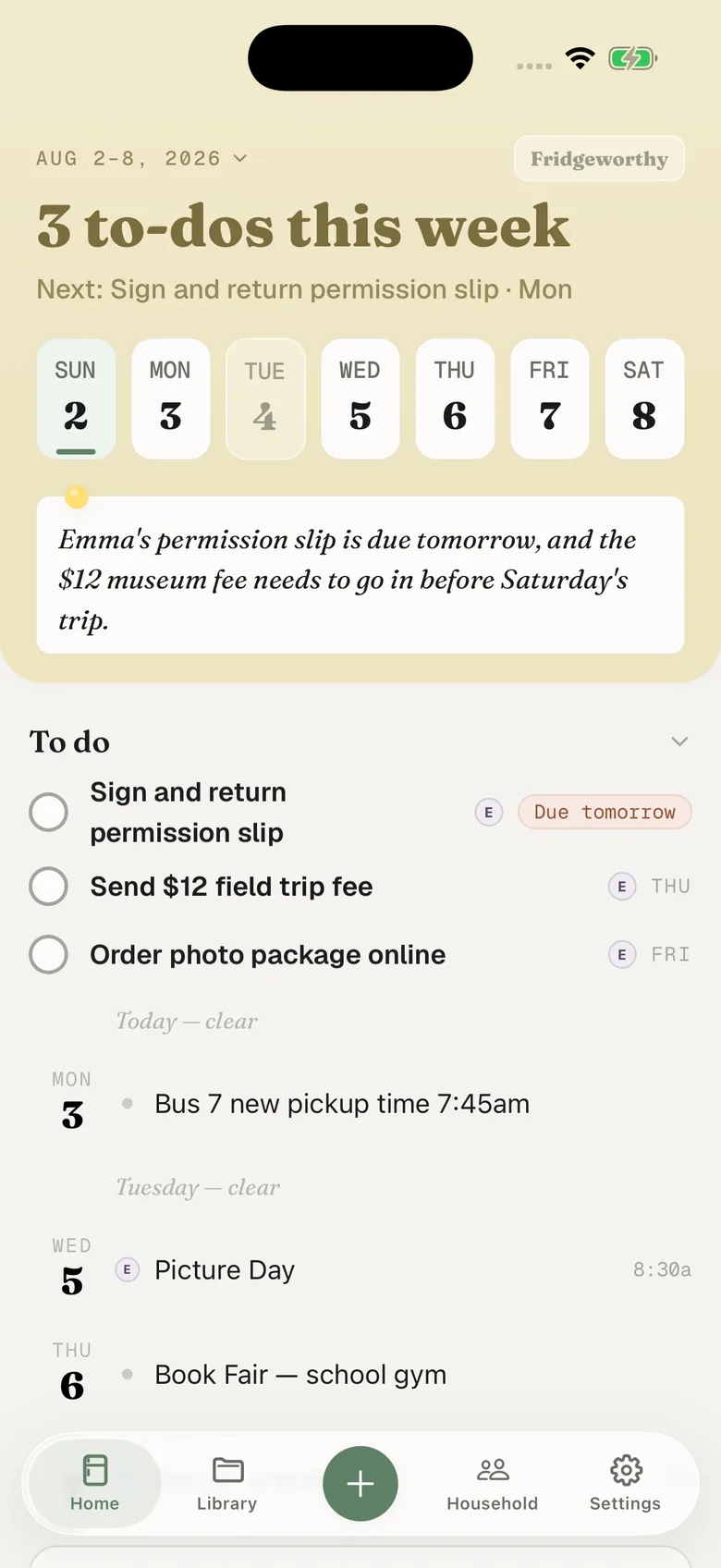
- Fridgeworthy pulls out the dates, deadlines and to-dos, sorts them by child, and keeps the screenshot attached so the exact wording stays one tap away.
The physical lands as a to-do before tryouts, under Ryan. The slip deadline lands on Wednesday, under Emma. Turn on Calendar Sync in Settings and both land on one calendar on your iPhone as well, one way, each event titled with the child’s name in front. Nothing you already have gets touched.
The email route, when it applies
Some of it arrives as email, and email has a shorter path. The portal sends a digest you configure: never, weekly on Mondays, every two weeks, monthly, or daily except weekends, with separate boxes for grades, attendance, school announcements and a balance alert. The trap: those settings are per student, so what you set for Emma does nothing for Ryan unless you tick “Apply These Settings to All Your Students?”
For anything sitting in Mail, your household has its own Fridgeworthy address in Settings under Email to Fridgeworthy . Forward it there and whatever it carries gets read, PDF attachments included. The share sheet cannot take a PDF: it takes images only. The first email from a new sender waits for a one-tap approval in the app; after that, that sender is read automatically. Each document a forward creates uses a scan. If it never arrived as email, screenshot it.
District-wide announcements mostly do not come from the portal. They come through SchoolMessenger, PowerSchool’s mass-notification arm, as a call, a text or an email. Where your district switched on double opt-in, the texts start only after you reply Y. Many districts run ParentSquare alongside the grades portal as well.
What this doesn’t do
There is no connection to set up between Fridgeworthy and PowerSchool, and none coming. Fridgeworthy never signs into PowerSchool and never sees your child’s record. PowerSchool integrations run through plugins a district administrator installs, and Schoology’s developer program only opens to edtech companies serving multiple districts. Both doors are opened by the district, to vendors, and a parent cannot authorize an app to read their own child’s data.
The permission slip deserves a warning. Permission Click, PowerSchool’s slip product, is a public web form that needs no account at all. No account means no reminder and no record: the due date lives in that one email until you put it somewhere.
None of this replaces PowerSchool, and it should not. The record belongs there. This gives the rest somewhere to land, which matters most when one kid is on PowerSchool and the other is on SchoolTool in the next district: two portals, two logins, one week, sorted by child, and the other adult in your house sees the same one.