Getting the dates SchoolTool never shows you
If your child’s school is in New York, there is a good chance it runs SchoolTool. It is the official record: what Emma scored on the biology unit test, which period she has study hall, the day she was marked absent. When you need to know what actually happened, it is right, and it is the only place that is right.
What it does to a date is the problem. Mindex’s own parent guides open by calling SchoolTool a historical application, which is the honest description. The grade appears after the grading. The absence appears after the absence. The Letters tab lists attendance letters already sent home. Nothing in it tells you Ryan’s permission slip is due Tuesday, because nothing in it knows the slip exists.
What is SchoolTool?
SchoolTool is where your district keeps the official student record. Mindex builds it, and it is designed for New York State K-12 schools. Parents get grades, attendance, the class schedule, assignments and discipline history, in a browser or the SchoolTool Mobile app. It is not a broadcast channel like ClassDojo or Remind: you can email a teacher from inside it, but nothing pushes the week at you. And it has no parent calendar: no calendar tab, no calendar screen, nothing to subscribe to.
That is not a knock. It is the district’s system of record, built around New York State reporting rules and the regional structures that go with them, which is why SchoolTool turns up all over New York and rarely outside the state. If your district is one of the exceptions, everything here still applies. That design also explains the Schedule tab, which parents mistake for a calendar. That tab is a class timetable: which course in which period, which days it meets, which room, repeating all year. No one-off dated events in it.
It can send push notifications. Mindex documents a small parent-facing set, and district guides for the mobile app list three: an assignment graded, a whole marking period’s grades published, a daily absence. Your district turns those on building by building, so the parent one town over may get none of them. Attendance pushes default to off, and a push you swipe away is gone: the notification history screen is for students, not parents.
Why is there no single SchoolTool login?
Because every district runs its own, at its own web address, usually the district site with schooltool on the end. Mindex’s support page sends parents straight back: “All username, password, or login assistance inquiries should be directed to your school district.” The mobile app asks for your district’s URL before it will show a login screen at all. Some districts allow Sign in with Google; many do not. Get the address from the school: the SchoolTool link at the top of a search result is usually some other district’s. A district running PowerSchool instead gives you the same kind of product with a different sign-in and a different app.
The screenshot route
Fridgeworthy reads a screenshot the same way it reads the paper from the backpack, so dates you can see in SchoolTool but cannot subscribe to have a way out:
- Screenshot the screen the date is on: the Assignments list, a teacher page note with a due date buried in the middle of it, the printed schedule. For the paper in the backpack, point the camera at it instead, many pages in one pass.
- Tap the screenshot preview, hit share , and pick Fridgeworthy. It goes straight into a scan. Or import from Photos later: several at once, six pages to a batch.
- Fridgeworthy pulls out the dates, deadlines and to-dos, sorts them by child, and keeps the image attached so the original wording stays one tap away.
Turn on Calendar Sync in Settings and those dates also land on your iPhone calendar, one way, each event titled with the child’s name in front. Nothing you already have gets touched.
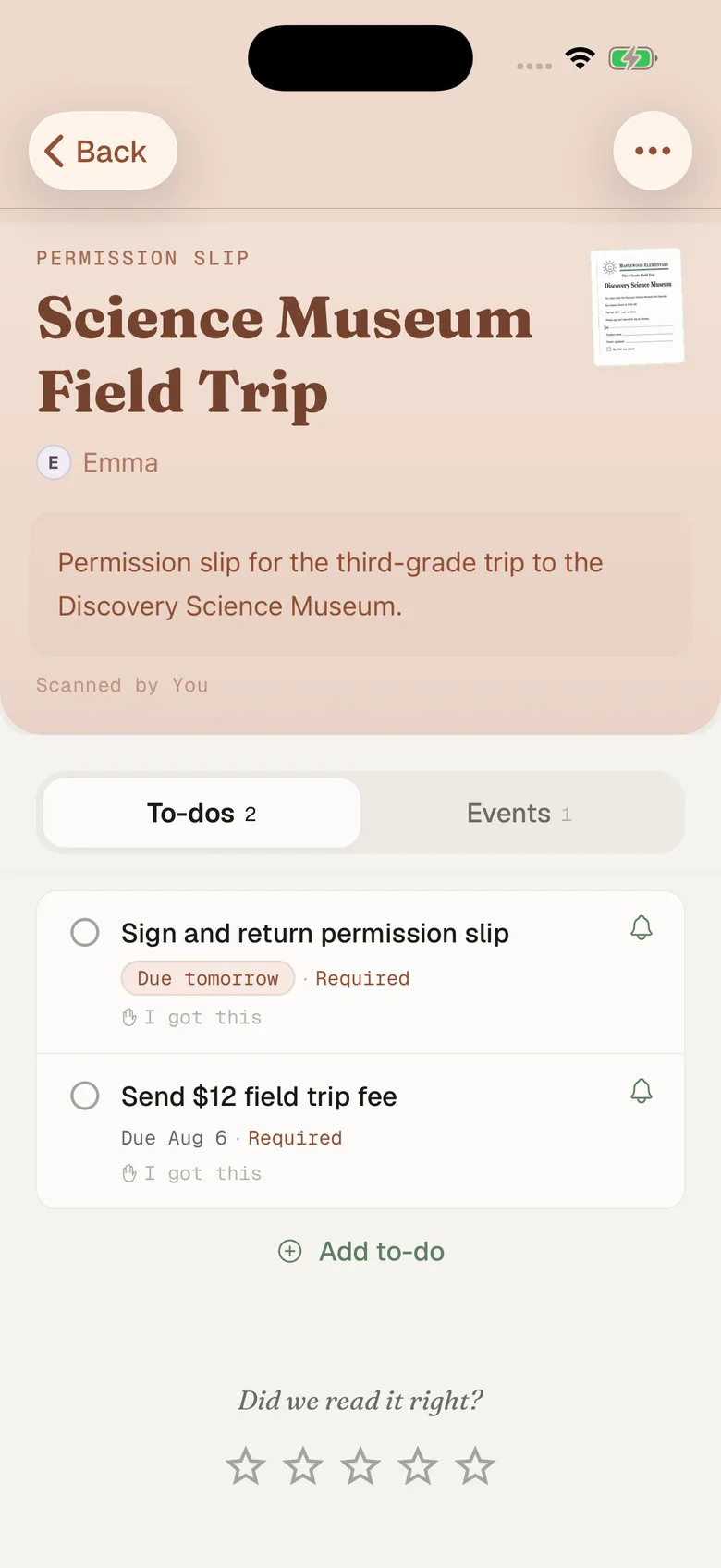
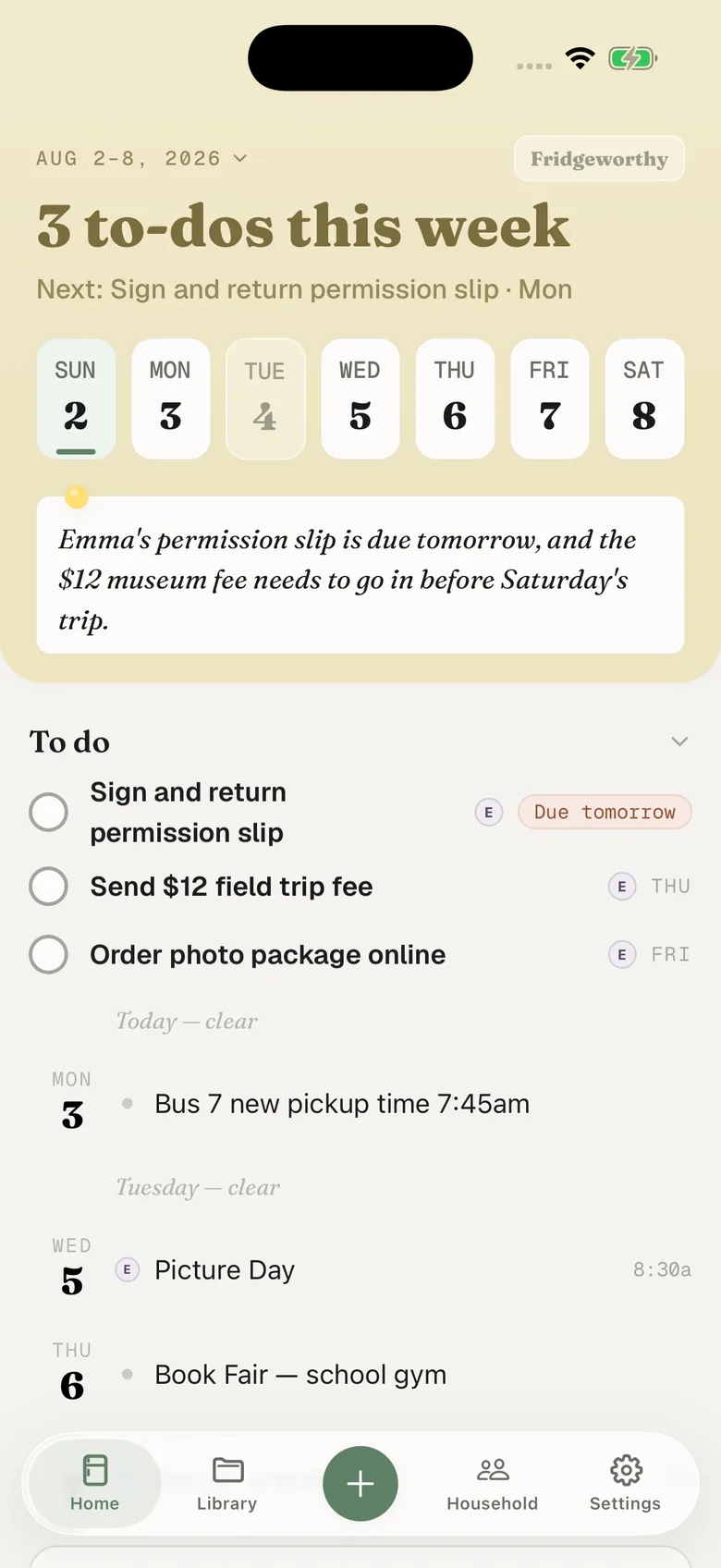
The dates that were never in SchoolTool at all
The field trip flyer. The athletic physical due before the first practice. The permission slip that needs a signature and $12 in an envelope. The fundraiser packet. Picture day. None of it is in the parent portal, which was never built to hold it: no forms module, no fees, no payments, no place for a parent to put a document. The money moves somewhere else, often MySchoolBucks, and the paper still rides home folded into quarters.
The gap widens with a second kid: one in middle school with a SchoolTool login, one whose teacher posts everything on ClassDojo. Fridgeworthy keeps the child attached to every date and to-do, so the week reads by kid instead of by system, and the other adult in your household sees the same week.
If something in your district emails you
Forwarding only helps when mail actually arrives, and SchoolTool is a portal you sign into. Mindex documents no routine mail to parents beyond password recovery, so assume the week reaches you elsewhere. Announcements usually come from a separate product running alongside it: plenty of New York districts pair SchoolTool with ParentSquare. Your household has its own Fridgeworthy address, in Settings under Email to Fridgeworthy . Forward that mail there. The first email from a new sender waits for a one-tap approval in the app; after that, that sender is read automatically. Forwarding is also the door for PDFs, and each document a forward creates uses a scan.
What this doesn’t do
There is no connection to set up. Fridgeworthy never signs into SchoolTool and never sees your child’s record. SchoolTool does have an API, but it is sold to districts and integration partners, behind authentication and IP restrictions, with nothing a parent could authorize.
And the gap, plainly, because there is no workaround for it: SchoolTool has no calendar to export. No file to import, no subscribe link, no Google or Apple sync, in the portal or the app. The only export-shaped things a parent gets are Print Schedule and printed report cards. Whatever you can put on the screen, you can hand to Fridgeworthy.
None of which replaces SchoolTool. You will still open it the week grades post, and it will still be the thing that settles what the biology score actually was. This gives everything else somewhere to land: one week, sorted by child, with the date you screenshotted out of the portal next to the permission slip that came home in the backpack.