The SportsEngine paperwork your calendar never sees
For a lot of families, SportsEngine is not the schedule app. It is the club: the registration you filled out in March, the athlete profile, the waiver, the volunteer sign-up, the card on file.
Games are the easy part. The rest is paperwork with dates on it: the form to download, print, sign and hand back, the sports physical due before the first practice, the installment that comes out on the 1st, the concession stand shift you claimed in March for a Saturday in September. All deadlines. None of them a game.
Does SportsEngine sync to your calendar?
Yes, free, and it is one of the better ones. On the web, sign in, open your Schedule tab and hit Sync Schedule: pick Google Calendar and approve the prompt, or pick Other Calendar and paste the link into the app you already use. It is a live subscription, not an export.
In the phone app, Subscribe to Calendar sits at the top of Schedules and covers every team at once. SportsEngine is blunt about the limit: “Only iOS users can subscribe to iCal through the SportsEngine mobile app.” iCal here just means a calendar subscription link. On Android you add that same link in Google Calendar on the web, under Add Calendar, From URL. Clubs put the link on their own website behind an iCal button, which only appears on a page that has events on it.
SportsEngine calendar not syncing?
Because your calendar app decides when to check, and it can wait up to 24 hours. SportsEngine publishes two numbers that measure different stretches: the feed on a club’s website refreshes every 30 minutes, and then your own calendar app picks the change up on its own schedule, which is where the day goes. A game moved at nine at night can still read the old time at breakfast.
One thing that looks like a sync problem and is not: a club calendar page shows every team in the organization until you open Show Tag Menu and tick the pages that belong to your own kid.
Which SportsEngine app do you actually need?
The one titled SportsEngine - Team management, by SPORTSENGINE, LLC, free with no in-app purchases. There is no app called SportsEngine HQ: HQ is the web platform, and the help center carrying that name is where the confusion starts. SportsEngine Play is a different product from a different publisher, In-Game Technologies: live video and highlight clips. Install that one and no schedule ever arrives.
What the schedule feed leaves behind
The feed carries games and events. Dibs is the clearest miss: claiming an item is agreeing to work that shift, and an admin has to grant completion before the credit reaches your account. A Saturday morning to show up for, and a credit to chase. Then the money. Payment plans, AutoPay and invoices live in their own corner of your account, and an installment on the 1st is an obligation no calendar hears about.
Then the forms. AutoForms are optional per organization, and when your club uses them they arrive as PDFs in your Registrations tab: download, print, sign, return. The due date on a sports physical or a code of conduct sits inside the document, not on any schedule. Registration is the same shape, its closing date on a page behind a link somebody emailed you.
The screenshot route
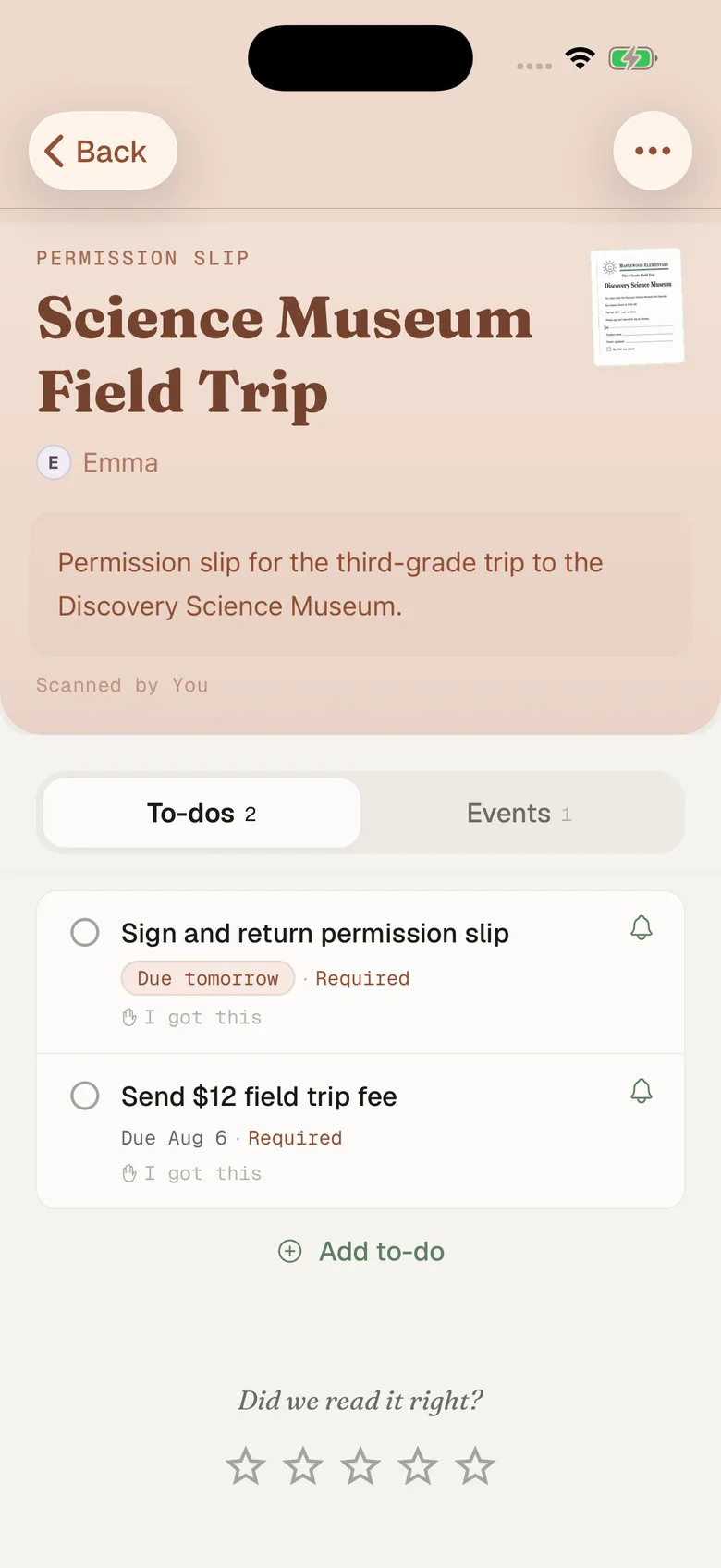
Fridgeworthy reads a screenshot the same way it reads the paper from the backpack, so the workflow is short:
- Open the form or the receipt and screenshot it. A downloaded PDF has to be a screenshot rather than a share: our share sheet takes images only. A two-page waiver is two screenshots, and overlap is fine.
- Tap the preview, hit share , pick Fridgeworthy. It goes straight into a scan. Or open Fridgeworthy later and import from Photos ; a batch holds six pages, which covers most registration packets.
- Fridgeworthy pulls out the dates, deadlines and to-dos, files them under the right kid, and keeps the image attached so the exact wording and the exact dollar amount stay one tap away.
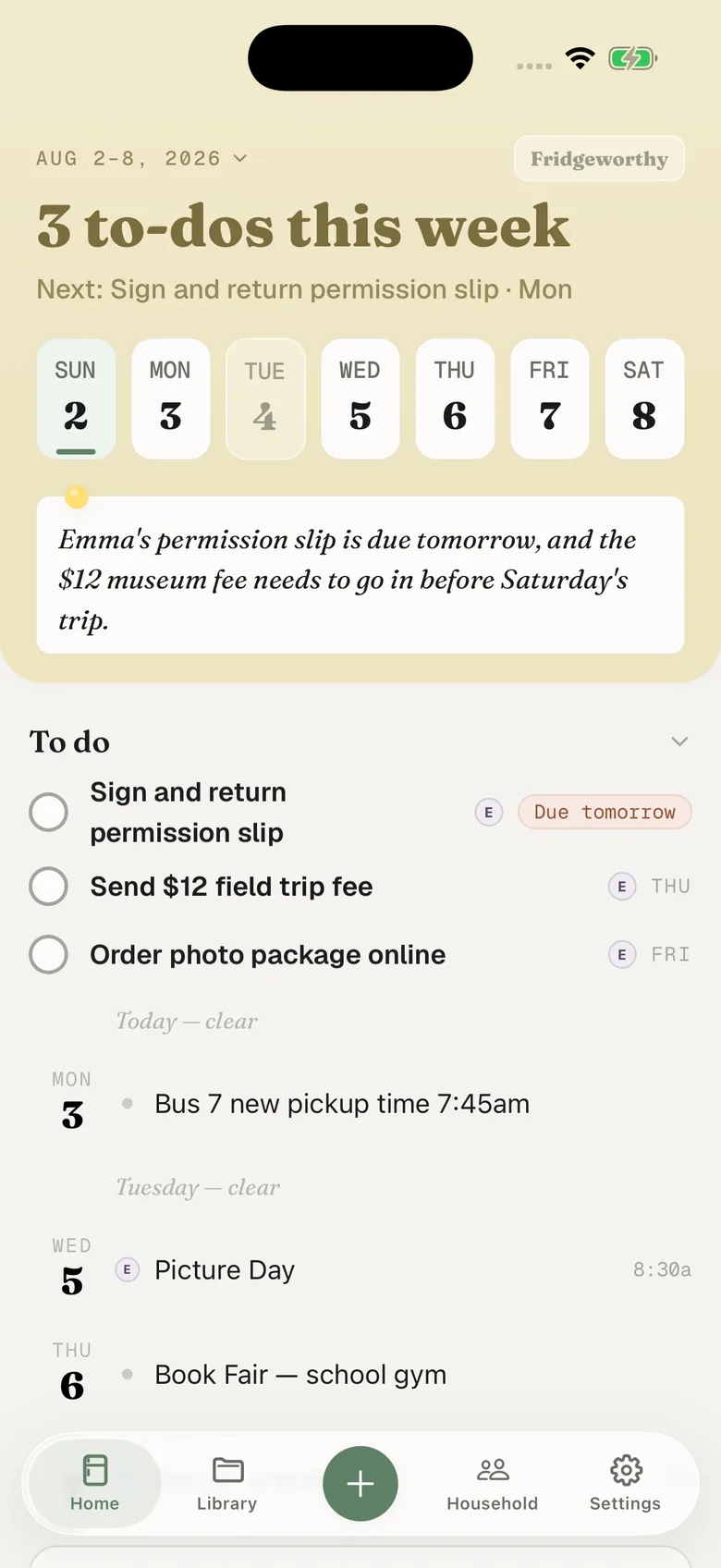
The physical due before the first practice becomes a to-do under Emma’s name. The installment lands on the 1st, the Dibs shift on its Saturday. With calendar sync on in Settings, those dates also reach your iPhone calendar, one way, each event titled with the child’s name in front.
Two clubs, two apps, one Skylight in the kitchen
Families on SportsEngine are usually on something else too: Emma’s club here, Ryan’s soccer team on TeamSnap, his baseball scored in GameChanger, the school posting Tuesday’s early dismissal on ParentSquare. Fridgeworthy keeps the child attached to every date, so the week reads by kid instead of by app, and the other adult in the household sees the same week. Point Fridgeworthy at the calendar your Skylight in the kitchen reads and the SportsEngine dates land there too, with nobody retyping a thing.
What this doesn’t do
There is no account to connect. Fridgeworthy never signs into SportsEngine and never sees your club. SportsEngine does publish a way for other software to read club data, but it is built for clubs, not for parents: an outside company has to get a club administrator to sign in and approve it, and access is listed at $1,500 a year. Fridgeworthy does not use it.
Email is the shorter route where it applies. SportsEngine says you receive an email confirmation and receipt once a registration is complete; forward that to your household address in Settings under Email to Fridgeworthy and whatever it carries gets read, PDF attachments included. The first message from a new sender waits for a one-tap approval, and each document a forward creates uses a scan. AutoForms come out of your Registrations tab rather than your inbox, so those stay screenshots.
Keep SportsEngine. The club has to run registration somewhere, and the schedule sync is worth turning on before anything else here. This is for what it leaves behind: one week, sorted by child, with the physical due date and the concession stand shift next to the field trip slip from the backpack.