Every BAND app group, on one family calendar
BAND is a group app rather than a school app or a sports app, which is why one parent can end up in five of them at once. Each group, which BAND calls a Band, gets its own private feed, chat, photo albums and calendar. The scout pack runs on it, and so do the travel team, the church youth group, the fourth grade class parents and the middle school marching band.
It is good at being the one place a group talks. What it does to a date is the usual thing. “Picture day is Thursday, order forms due Monday” is one sentence inside Tuesday’s post, and by Wednesday four more posts sit on top of it. The snack schedule is a sign-up sheet. The $40 uniform balance is a bill split. The tournament bracket is a photo somebody took of a printout taped to a gym wall.
Can you export the BAND app calendar to Google or Apple?
Yes, and BAND does this better than most apps parents deal with. The export link is available to every member, not only to admins. BAND’s help center puts it under the Band’s Calendar tab: Manage Events, then Export Band Calendars, then choose a calendar and copy the URL.
That URL is a live subscription rather than a one-time download, so later edits flow down on their own. It goes into whichever calendar you already use. On an iPhone the path is deep, and Apple documents it. Open Settings, tap Apps, then Calendar, then Calendar Accounts. Choose Add Account, then Other, then Add Subscribed Calendar, and paste in the link you copied. On a computer it is two clicks: in Google Calendar, next to Other calendars, choose From URL and paste it there. Nothing to install, and it costs nothing.
One URL per calendar, which in practice means per Band. A parent in five groups subscribes five times. Do it anyway: whatever somebody filed as an event then shows up without anyone retyping it.
The subscription carries events, and nothing that was never filed as one. In BAND, the things nobody filed as an event are most of what a parent needs. Sign-up sheets, to-do lists, attendance sheets, polls and bill splits are all things you attach to a post, and each can carry a deadline in its title. A sign-up sheet can now ride along on an event, which helps, but it rides along instead of getting a date of its own: you are still on snacks, and the calendar still just says game.
Why the subscribed copy runs late
A subscribed calendar is a copy that refreshes on somebody else’s schedule, and BAND says so itself: its help center notes that update speed depends on the calendar service, and that Google Calendar “may take up to 48 hours to sync changes due to Google’s own policies”. An iPhone refreshes on its own schedule too. That is how subscribed feeds work everywhere, not BAND being careless. It still means that when a coach moves Saturday’s game on Friday night, the copy on your phone can be showing the old time at breakfast.
Push has a gap of its own, and it is not one you control. A Band admin can stop notifications going out to the whole group for a block of hours. BAND lists Quiet Band Mode as a reason you never heard anything, and its answer is that the content is still there: open the Notifications tab, or go read the posts. Which is the shape of the whole problem. The feed is the product, and the feed scrolls.
The screenshot route
Fridgeworthy reads a screenshot the same way it reads the paper that came home in a backpack, so the workflow is short:
- Screenshot the post, the chat message or the sign-up sheet. If a permission slip or a season schedule is attached as a file, open it in BAND and screenshot the pages. A long post can be two screenshots; overlap is fine.
- Tap the screenshot preview, hit share , and pick Fridgeworthy. It goes straight into a scan. Or open Fridgeworthy later and import from Photos ; you can select several at once, and a batch holds six pages.
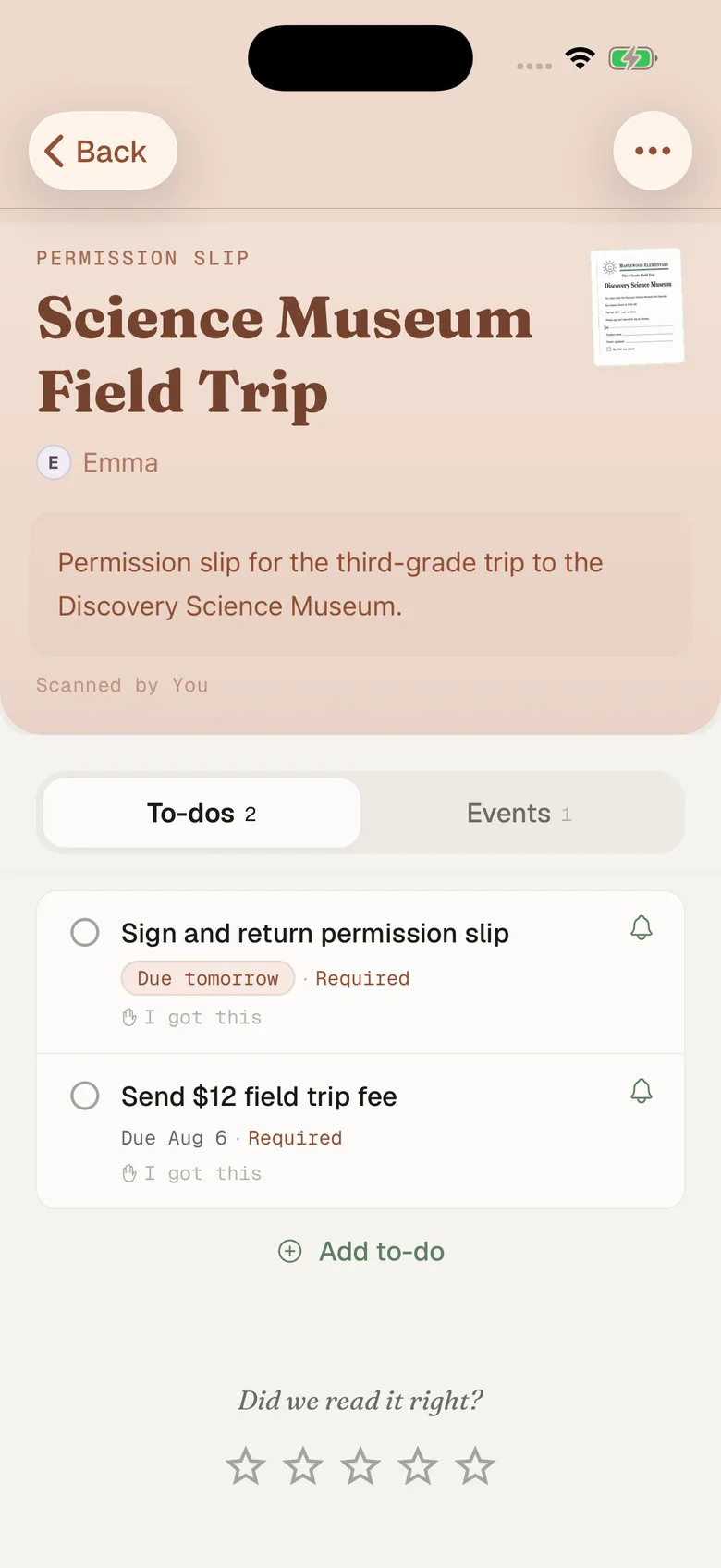
- Fridgeworthy pulls out the dates, deadlines and to-dos, files them under the right kid, and keeps the image attached so the exact wording stays one tap away.
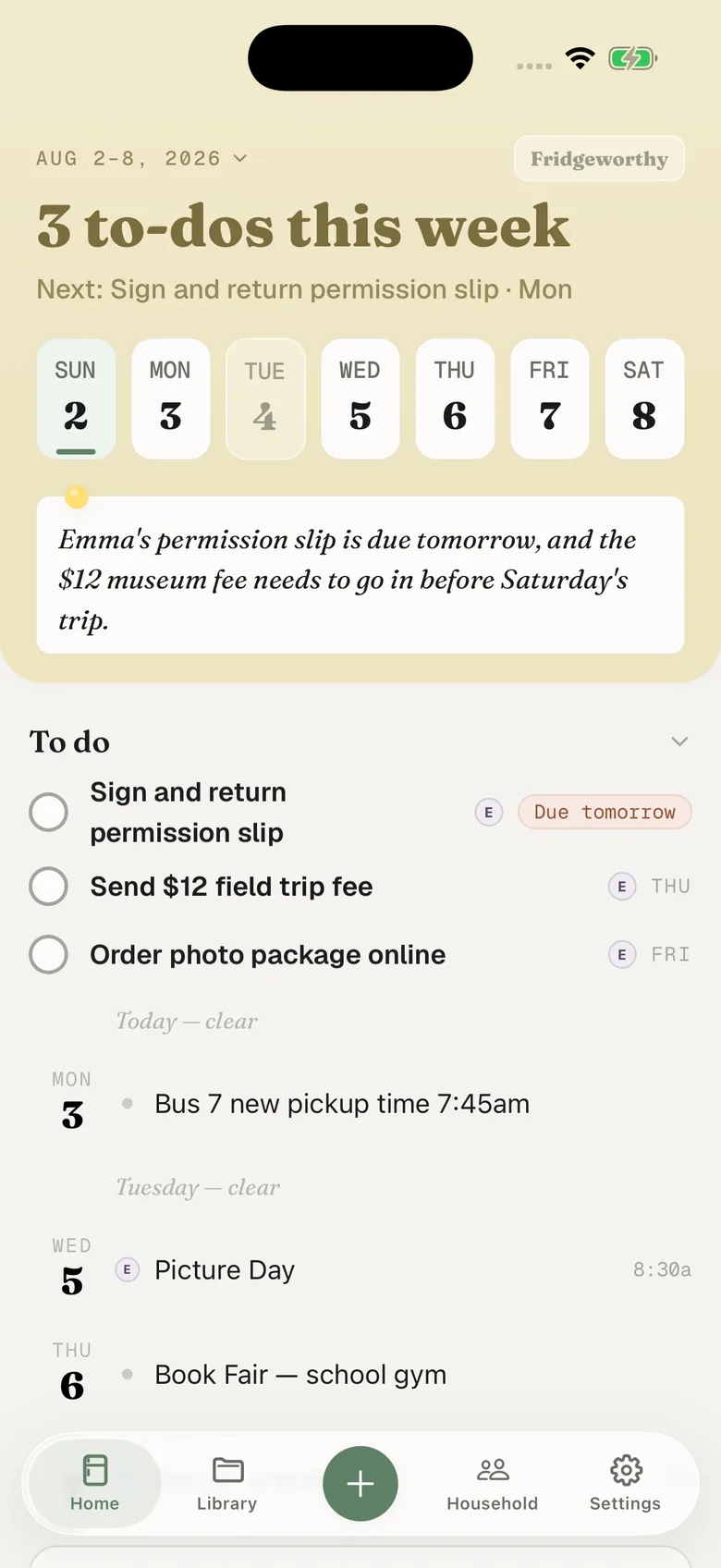
Monday’s order form becomes a to-do under Emma’s name. Thursday’s picture day lands on Thursday. With calendar sync on in Settings, they also reach your iPhone calendar, one way, each event titled with the child’s name in front, in whichever calendar you picked.
Five groups, five feeds, one week
The scout pack is on BAND, the soccer club is on Spond, the baseball team is on TeamSnap, one coach posts nowhere but sportsYou, and the school is still running ClassDojo. Each one is fine on its own. None of them knows the others exist, so the collision surfaces in your kitchen: Emma has a game the same hour Ryan has a concert.
Fridgeworthy keeps the child attached to every date, so the week reads by kid instead of by app. The other adult in your household sees the same week. If that week is also on the Skylight in the kitchen, the display shows it without anyone retyping anything.
What this doesn’t do
Nothing gets connected. Fridgeworthy never signs into BAND and never sees your groups. BAND does publish tools for outside developers, which is rare in this category, but none of them reach a Band’s calendar or its events. So the subscription link and the screen in front of you are the two ways anything gets out.
Email forwarding is a real route here, but only sometimes. BAND does not mail you a copy of everything: an admin has to send an alert about a specific post or event, and BAND’s help center says that once you have joined a Band, an alert only reaches you by email if you switched email alerts on yourself. If one does reach you, forward it to your household address in Settings under Email to Fridgeworthy and whatever it carries gets read, PDFs included. The first message from a new sender waits for a one-tap approval, and each document a forward creates uses a scan. Otherwise the screenshot is the route.
One more reason not to leave the paperwork sitting in the feed. A Band’s files sit against a storage allowance, and BAND is blunt about what happens when it fills: old attachments get deleted. After that you can still read the post, but the file is no longer downloadable. The permission slip posted in the fall is not guaranteed to still be there in the spring, so pulling the dates out the day you see them is cheap insurance.
Keep BAND. It is where the group actually talks, and the export link is worth setting up for every Band you are in. This just gives the dates that never became events somewhere to land: one week, sorted by child, with Saturday’s scout hike sitting next to the picture day flyer that came home in a backpack.