Spond syncs the practice, not the driving duty
If your kid’s team runs on Spond, the app is the season: the invitation asking whether Emma can play Saturday, the attendance time set half an hour before the match, the group chat, the payment request for tournament fees. Free, no ads, built around the event.
What sits next to the event is the problem. The driving rotation is a task on the event, not a date. The tournament fee has a deadline of its own. The post saying picture day is Thursday, wear the white shirt, is one sentence in a feed.
Does Spond sync to your calendar?
Yes, free, and it works. Spond writes events into the calendar app on your phone: open Spond, tap your profile picture, open Calendar settings, and grant access. When iOS offers a choice, pick Full Access; the next section is why. In Calendar settings you also choose how far ahead the alarm fires and whether missed events sync alongside accepted ones.
Each group gets its own destination: Emma’s club team into one calendar, Ryan’s swim squad into another. A group you would rather not see at all can be left out of your calendar entirely. For Google Calendar, the Google account has to be on the phone first, then picked inside Spond.
Why Spond asks for full calendar access
Because Apple changed how calendar permissions work, and Spond says full access is the only option that lets it edit an entry it already wrote. If the admin moves Thursday’s practice an hour later, full access is what moves the entry on your calendar, and what deletes an event you declined or the club cancelled. Their documented alternative is blunt: grant nothing, use the Spond home screen.
Turning sync off has an order, and getting it wrong is the usual way this ends badly. Switch it off inside Spond first, then turn Spond’s calendar access off in the iPhone’s own Settings. Do it the other way and the events Spond already wrote stay in your calendar, and you delete them one by one. A half-cleared calendar looks exactly like a sync that broke.
Is there a Spond calendar URL?
Not one Spond documents. Parents go hunting for a Spond iCal link or a calendar export, and what the help center describes is the sync above: Spond writing into a calendar app on one phone, not a feed anything else can subscribe to. Spond also states it offers no open API.
So every phone has to be set up on its own. There is no address to hand to a shared household calendar, a kitchen display, or the other parent’s Outlook. That is the gap, and there is no first-party way around it.
The screenshot route
Fridgeworthy reads a screenshot the same way it reads the paper that came home in the backpack, so the workflow is short:
- Screenshot the payment request, the post, or the task list. If the season schedule came as a PDF, open it and screenshot the pages.
- Tap the preview, hit share , and pick Fridgeworthy. It goes straight into a scan. Or import from Photos later; a batch holds six pages, usually a whole tournament weekend.
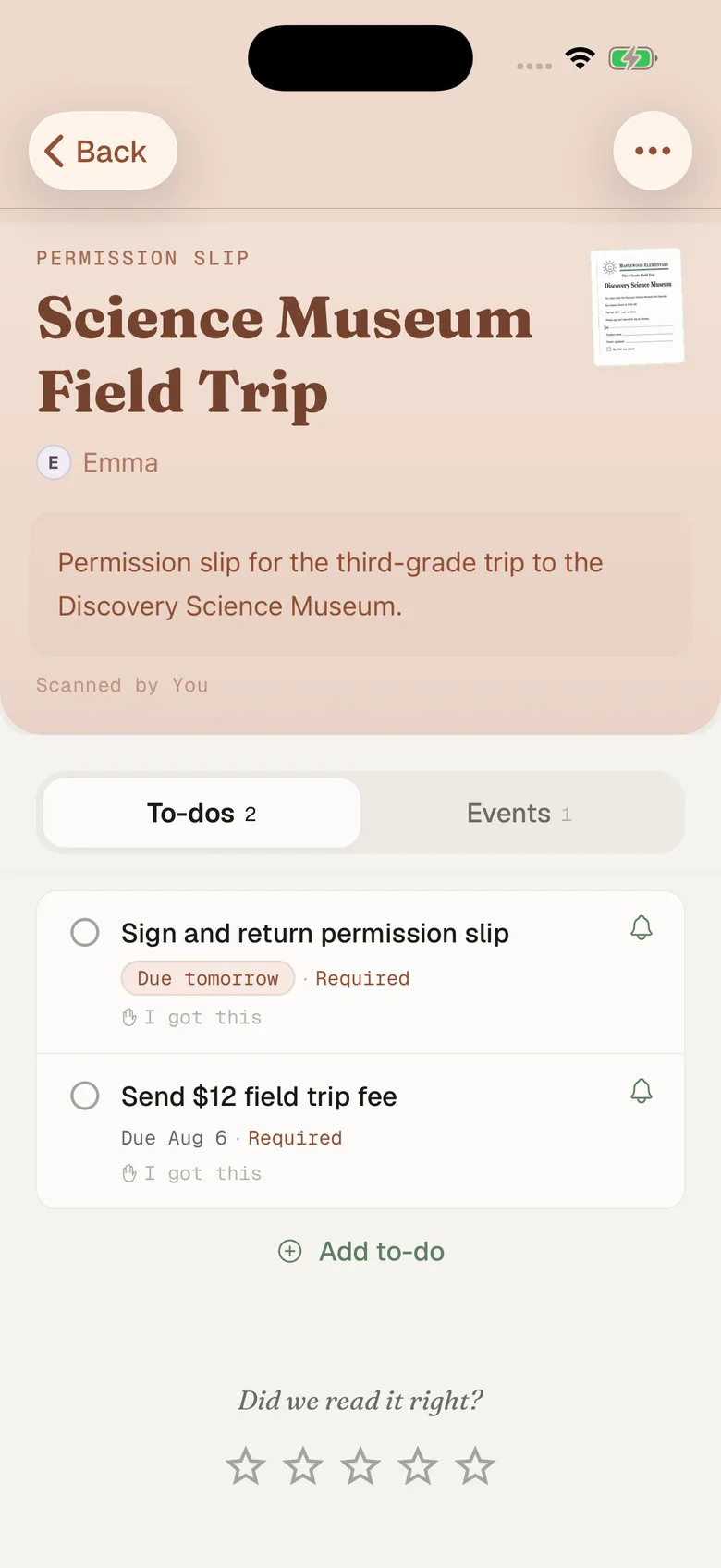
- Fridgeworthy pulls out the dates, deadlines and to-dos, files them under the right kid, and keeps the image attached so the exact wording stays one tap away.
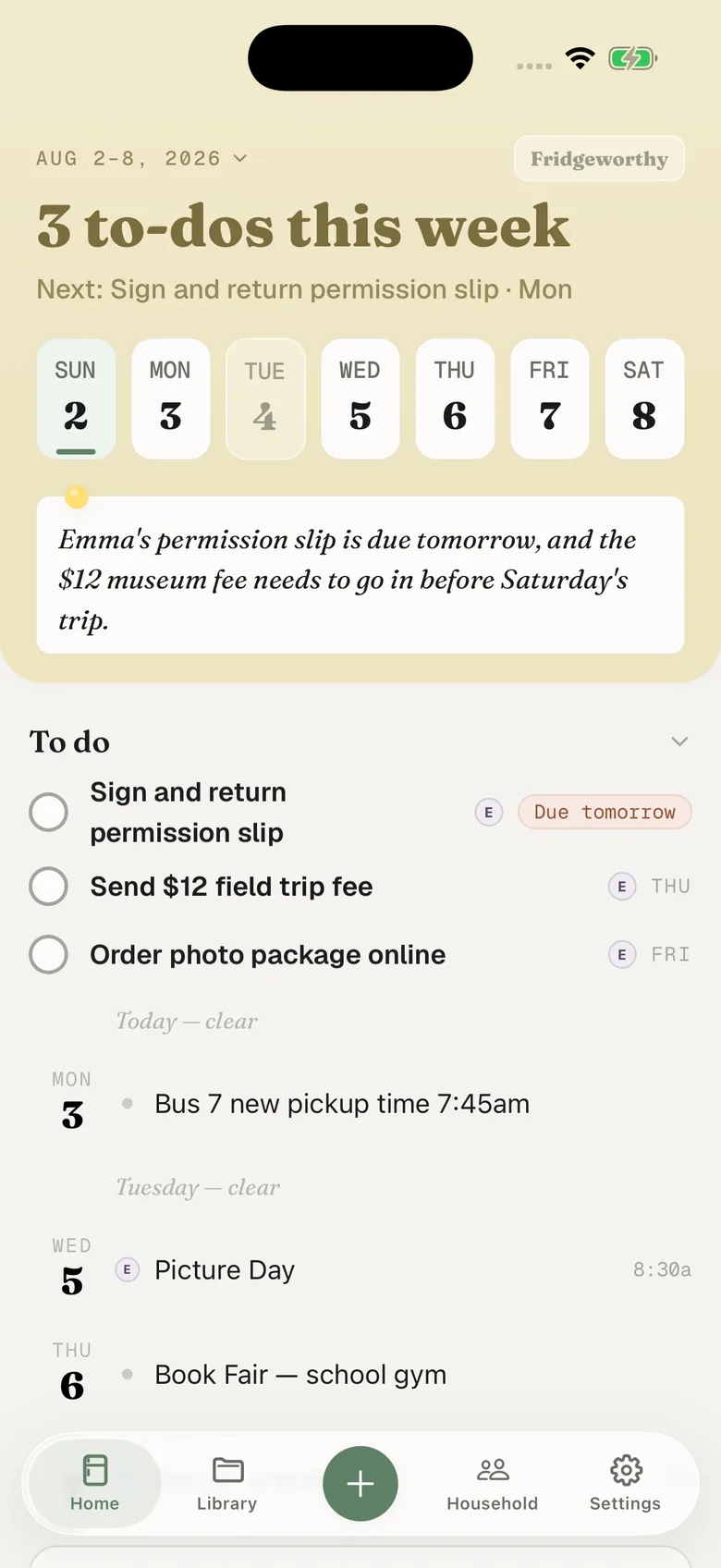
The fee becomes a to-do under Ryan’s name, due on the day the club set. Saturday’s 8am arrival lands on Saturday. With Calendar Sync on in Fridgeworthy’s Settings, those dates also reach your iPhone calendar, one way, each event titled with the child’s name in front.
The fee and the driving rotation
A payment request is its own thing, with a description, an amount, and a deadline the admin sets. Spond says that even with push switched off for a group entirely, it will always notify you of payment requests. What it never becomes is an event, so your calendar never hears about the deadline.
Tasks work the same way. Spond’s own examples are driving, bringing something to eat, washing the uniforms. A task hangs off an event, goes to a named person, and can land on a guardian who was never invited to the event. The practice reaches your calendar. The fact that you are driving to it does not. Tasks also cannot be added to a repeating event all at once, only to one date at a time, so whoever runs the team sets the driving rotation up week by week.
Three groups, two kids, one week
Spond is per group, and a parent is rarely in one: Emma’s club team, Ryan’s swim squad, the class group that uses Spond for nothing but the end of season party. Add soccer on TeamSnap, the parents’ group somebody started on BAND, baseball on GameChanger, school on ClassDojo, and the collision surfaces in your kitchen rather than in any of them.
Fridgeworthy keeps the child attached to every date, so the week reads by kid instead of by app, and the other adult in your household sees the same week. On the Skylight in the kitchen, it shows without anyone retyping a thing.
What this doesn’t do
No account gets linked. Fridgeworthy never signs into Spond and never sees your groups, and by Spond’s own account there is no open API to connect to. We read what you hand us.
Email is a real route, but only for some parents, and probably not you. Spond’s rule is that email notifications start as soon as you log out. Stay logged in and there is nothing in your inbox to forward. The parent who never installed Spond does get an email carrying what the post said. Forward it to your household address in Settings under Email to Fridgeworthy and whatever it carries gets read, PDFs included. The first message from a new sender waits for a one-tap approval, and each document a forward creates uses a scan. Logged in, the screenshot is the route.
Attachments split the same way. Spond takes PDF, JPEG, PNG, Excel and CSV files on an event, and every group has its own file library on top of that. An image shares straight in. A PDF does not: our share sheet takes images only. A spreadsheet is not an input at all.
Keep Spond. The club should keep posting there, and the calendar sync is worth turning on. This gives the things that never become events somewhere to land: the fee with a deadline, the Saturday you are driving, the post about white shirts, in one week sorted by child.