Your sportsYou calendar, and the events missing from it
If your kid’s team runs on sportsYou, the season arrives as messages: the chat where the coach says the bus leaves at 6:15, the bracket photographed and posted to the feed, the Files tab holding the sports physical form and the uniform order sheet. It is built for coaches and athletic directors first, and it lets a coach reach you without either side handing over a phone number, which is why a program hands you this instead of a group text.
None of that is a date yet. sportsYou runs no registration, no form builder and no payments, so every dated document you get was made somewhere else and dropped in as a file or a photo. The calendar holds only what somebody typed into the calendar.
How do you export your sportsYou calendar?
You copy a link out of sportsYou and paste it into the calendar you already use. sportsYou calls it export or subscribe, and it is free. On a computer: click Calendar in the left column, then the calendar icon near the top right. Switch on the team calendars you want to include, then click the green Copy URL.
In the app the same thing sits under Calendar in the bottom tray: tap the subscribe icon at the top right, switch each team calendar On or Off, then tap the green Copy Link. A blue Step-by-Step link sits beside it, with separate walkthroughs for Google, iCal and Outlook.
Credit where it is due: those toggles mean the feed carries only the teams you picked, and sportsYou says changes afterwards reach those calendars on their own. They publish no refresh number, so how fast a moved game lands is between your calendar app and the subscription.
Why are events missing from your sportsYou calendar?
Because the calendar is the attendee list. sportsYou is unusually direct about it: “Events on the sportsYou calendar are tied to the attendee list. If you are not added as an attendee for a specific event, it will not appear on your calendar.” Everyone, they say: members, admins and coaches alike.
Their fix is a conversation: ask the admin or the event creator to add you. Which works, once you know there is something to ask about. A missing event and a quiet week look identical from your side, and no calendar app can show you a gap. sportsYou does not document whether the exported calendar follows the same rule either. If a week looks too quiet, ask the coach rather than trust the empty space.
The other documented failure has a remedy. If Google Calendar will not take the link, sportsYou’s own tip is to trim a couple of characters off it and add the shortened version instead. They do not say which characters. Odd advice, published by them, and worth trying before you assume you did it wrong.
The screenshot route
Everything that is not an event stays where it was typed: the chat message, the poll, the file a coach uploaded, the cancellation posted to the feed, which leaves the game sitting on your calendar anyway. Fridgeworthy reads a screenshot the same way it reads paper:
- Screenshot the post, the chat message or the file. A bracket or flyer already sitting in your camera roll as a photo needs no screenshot at all.
- Tap the preview, hit share , and pick Fridgeworthy. It goes straight into a scan. Or import from Photos in the app later; a batch holds six pages.
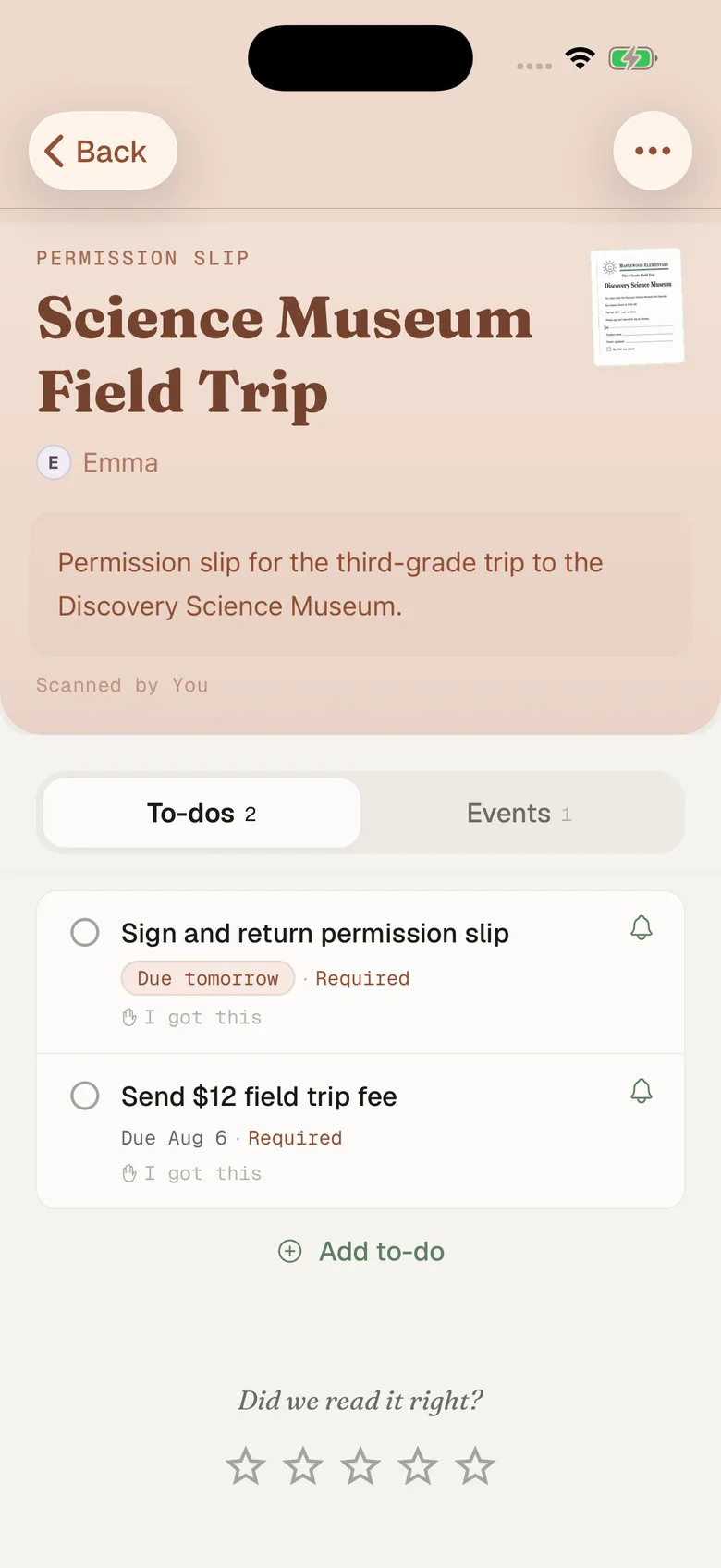
- Fridgeworthy pulls out the dates, deadlines and to-dos, files them under the right kid, and keeps the image attached so the coach’s exact wording stays one tap away.
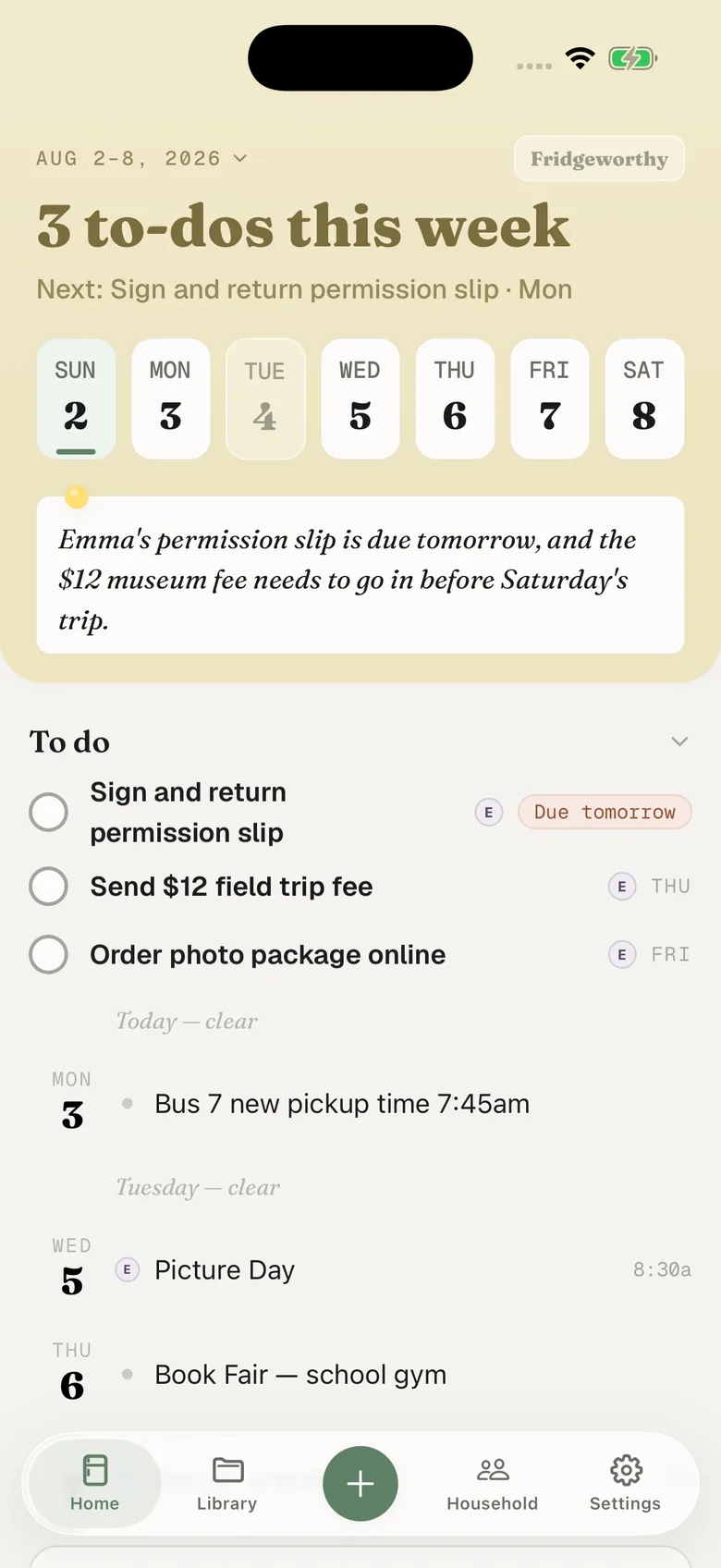
The 6:15 bus lands on Saturday under Ryan’s name, and the uniform sheet becomes a to-do with the day it is due. With calendar sync on in Settings, those dates also reach the one calendar you picked on your iPhone, one way, each event titled with the child’s name in front.
Two kids, three programs, one week
Almost nobody runs only sportsYou. The school posts on ClassDojo, the club team is on TeamSnap, the travel program is on SportsEngine, and the boosters run a BAND group. sportsYou’s answer to that pile-up is sportsYou Pro, $19.99 a year or $1.99 a month, sold in the app only, which turns on week and day calendar views and a filter by team. Worth being precise about what that buys: the export is free, and what costs money is looking at it inside sportsYou, sorted by team. Teams, not children.
Fridgeworthy keeps the child attached to every date, so the week reads by kid instead of by app, and the other adult in your household sees the same week. Put that week on the Skylight in the kitchen and the display shows it without anyone retyping anything.
What this doesn’t do
There is no account to connect. Fridgeworthy never signs into sportsYou, never sees your team, and cannot fetch anything you have not handed it. There is nothing to connect to either: sportsYou publishes nothing for outside developers to build against.
Email forwarding works here, on one condition. sportsYou sends no texts at all: “SportsYou does not provide SMS text notification as a service,” they write, suggesting you add an email address to your account instead. That leaves push and email, set per team rather than all at once. Turn a team’s alerts off and its in-app badges keep appearing while the email and push stop, so that team becomes a feed you have to remember to open.
Keep a team’s email on and you can forward what arrives to your household address in Settings under Email to Fridgeworthy , where whatever it carries gets read, PDF attachments included. The first message from a new sender waits for a one-tap approval, and each document a forward creates uses a scan. With the emails off, the screenshot is the route.
Files are where to be careful. Anything a coach posts to the feed also lands in the Files tab, and sportsYou does not publish which file types those can be, so treat a file as a screenshot job: our share sheet takes images only. Photos are the easy case, and sportsYou is full of them. Nothing here fixes the attendee list either. If a coach never added your athlete to an event, it is not in sportsYou for anyone to screenshot. No app fixes that. It takes asking the coach.
Keep sportsYou. The coach should keep posting there, and the export is worth setting up before you do anything else on this page. This is for the week around it: one week, sorted by child, with the bus time sitting next to the picture day flyer that came home in a backpack.